Change return status
Read all about changing the return status of the order here.
Still accept the return?
Have you chosen the option ‘Exchange item’ or ‘Repair item’ and still want to accept the return after consulting with your customer? You can do this yourself in the seller account. In the ‘Orders’ menu, under the ‘Returns (new)’ tab, you will find the ‘Process’ button next to the relevant order. After that, you can change the status to 'Approved after all'.
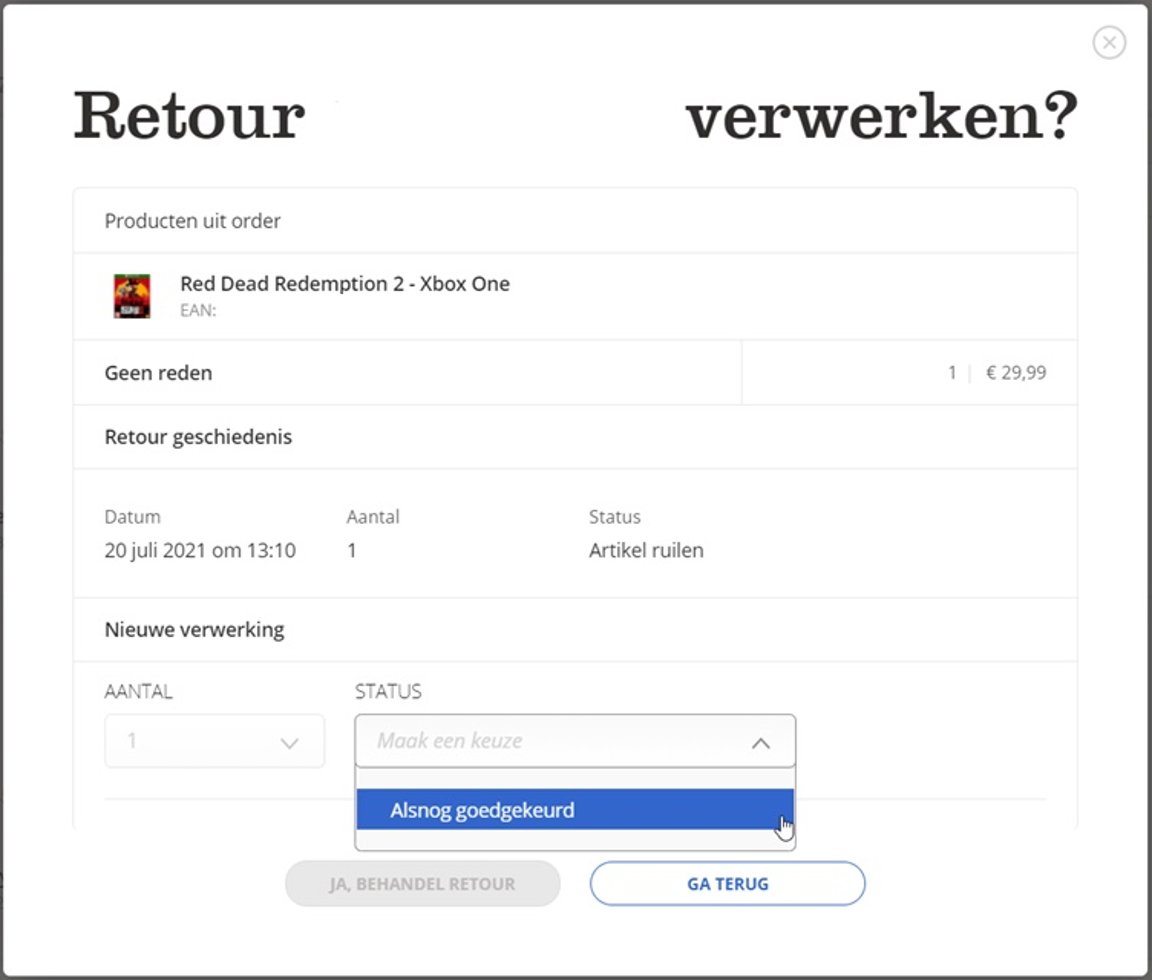
Have you chosen ‘Item does not meet return conditions’ and want to change this? You can arrange this yourself in your seller account (up to 90 days after the return notification was rejected).
Re-register the return?
Do you want to re-register a cancelled return (customer keeps items after all)? You do this by re-entering the return notification in your seller account. In the ‘Orders’ menu, under the ‘Returns’ tab, use the ‘create return’ button at the top right of the screen to find the relevant order number and register the item(s) for return (or again).
Return expired or still accept?
You can still accept the return up to 2 years after the original shipping date of the order. You do this by re-entering the return notification in your seller account. In the ‘Orders’ menu, under the ‘Returns’ tab, use the ‘create return’ button at the top right of the screen to find the relevant order number and register the item(s) for return (or again). You can then indicate what status you want to give the relevant return. For example, you can approve the new return, or reject or exchange it.
Have you not received the item yet? Then also tick that you want to send a return label to the customer if you use the return service via bol. The customer will then receive the return label in their customer account and by email and can still return the item to you. If you do not use the return service via bol, you must provide a return label for the customer yourself.
Do you not accept the return after all?
Have you chosen ‘Return well received’ and want to change this? Then contact Partnerservice. Unfortunately, it is not possible to do this yourself.
Handling a return of multiple items?
If the customer orders multiple copies of an item from you, it may happen that a part of them is returned. In that case, the customer must register the entire order as a return in the customer account and then indicate the number of units they are returning.
When you receive these items back and process them, you can indicate how many units were returned. You fill this in at the question ‘Quantity?’. If the items need to be handled in different ways, you can do so via the 'Add rule' button. Then you can link a status to each quantity. See also the following example:
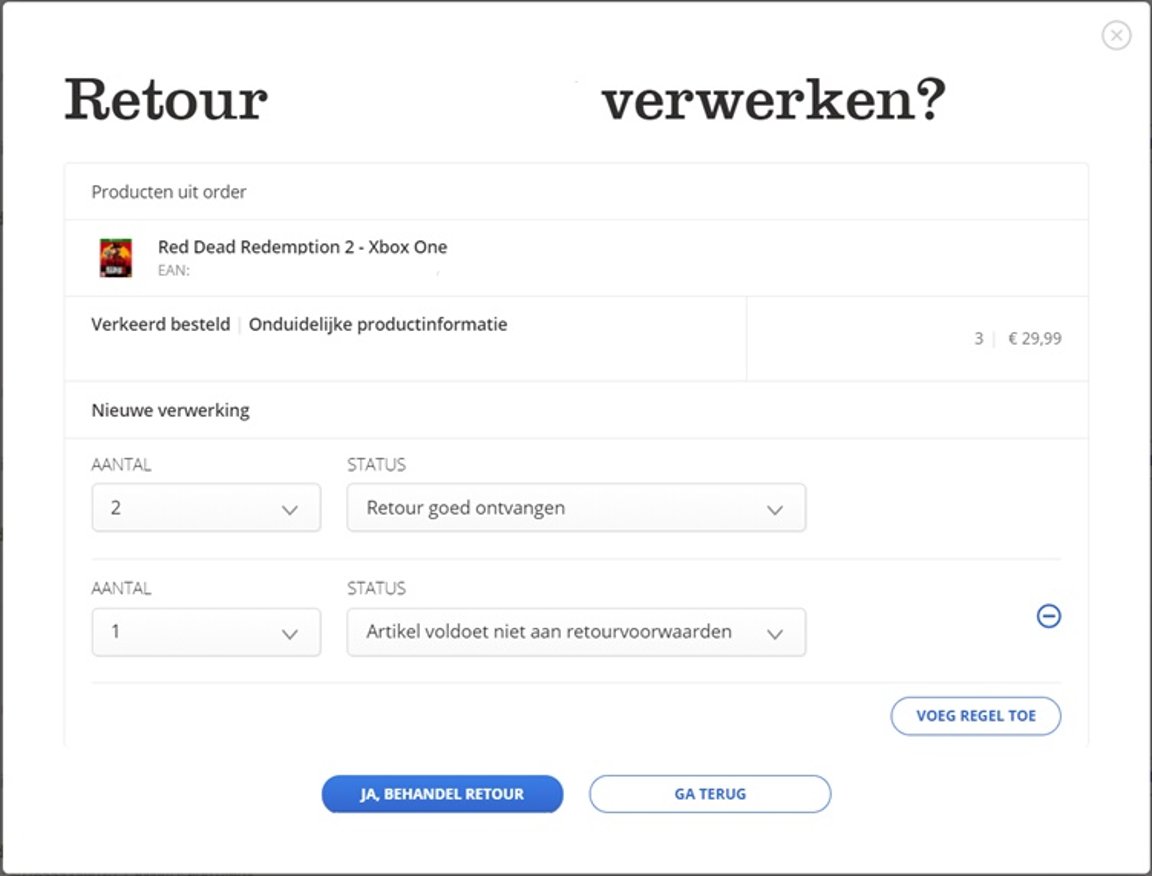
Based on the quantity you enter here, the customer will be refunded and you will be paid out.