Create and cancel a pickup order
On this page, read everything you need to know about creating and cancelling pickup orders.
Create a pickup order (and cancel)
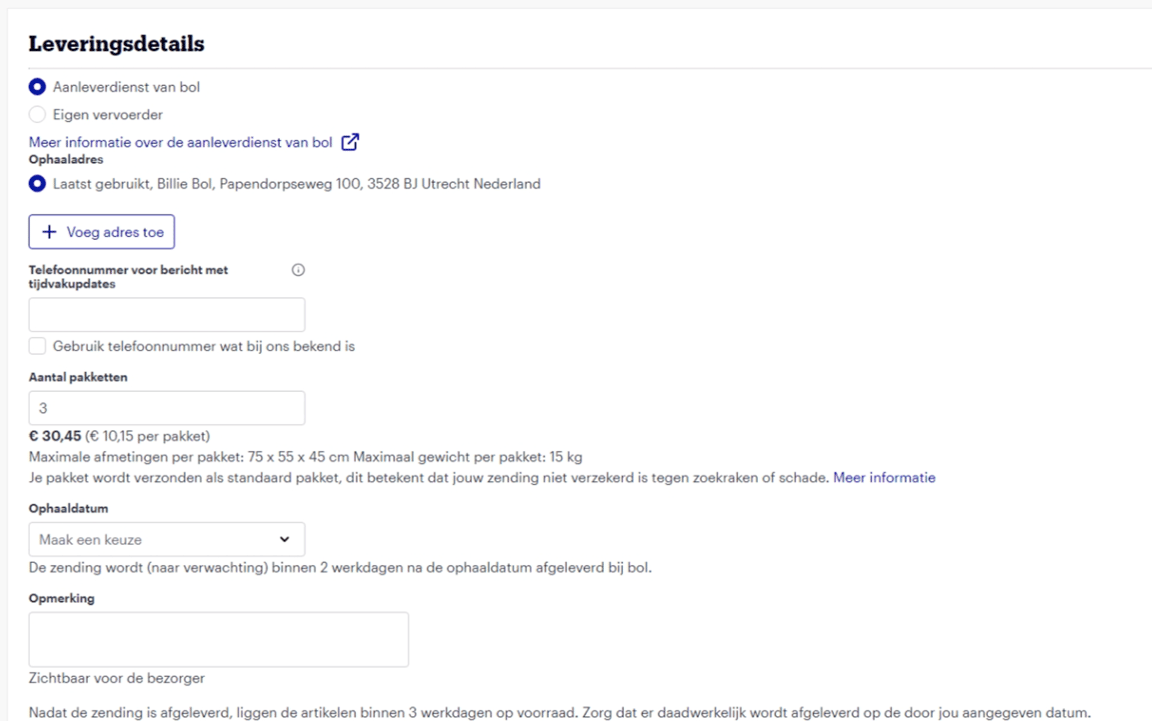
When pre-notifying a shipment, you can directly create the pickup order. Select the delivery service and click 'Add pickup details'. Here, you enter the following information:
- Pickup address
- Phone number for messages with time slot updates
- Number of packages
- Pickup date
- Pickup time slot
The pickup order is final once you have pre-notified your delivery. For subsequent pickup orders, you can reuse the previously entered address.
Cancelling pickup orders is possible within the following time limits:
- Until 8:30 PM, for shipments to be picked up the next morning.
- Until 12:00 PM, for shipments to be picked up the same afternoon.
No costs will be charged for cancelling shipments.