
The financial settlement
Read all about the financial settlement of Logistics via bol.
All monthly income, including orders you've sent yourself and those sent with Logistics via bol, are combined into one clear invoice: the Sales Invoice. This invoice summarizes all income minus all expenses, such as pick and pack and stock costs. Returns are settled in the period in which the return occurs.
You can find the Sales Invoice in your seller account under the 'Finance' tab.
The Sales Invoice is available on the 1st day of the following month. Using the 'Download invoice' button, you can download an overview of the previous month's income and expenses. You can view the details of this income and these expenses via the invoice specification. You can download the invoice specification using the dropdown button.
Please note!
If the first day of the month is a Friday, payment will follow on the Monday after.
Daily report
This gives you daily insight into your stock, orders, and returns. This report is processed once a day and can be downloaded for up to 28 days back; in this specific report, you will see data from up to 14 days ago.
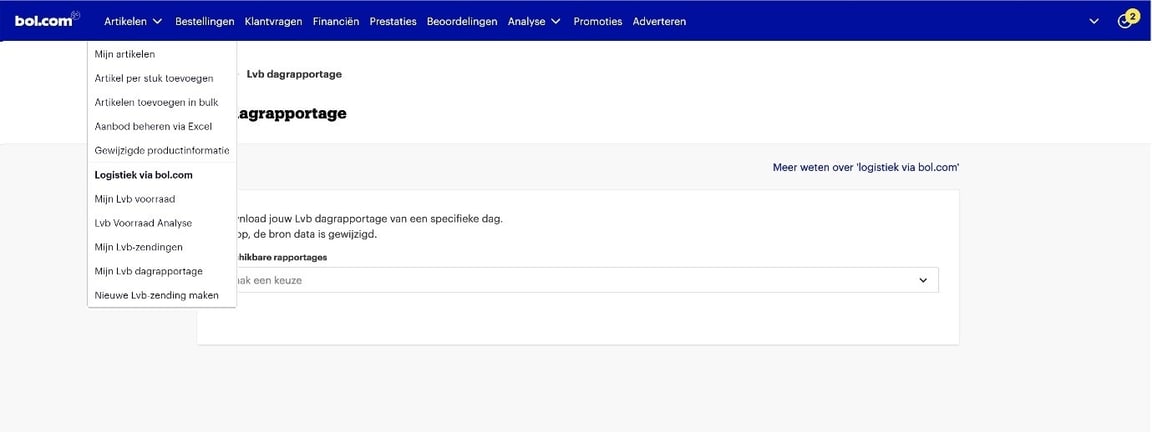
Open the Logstics via bol daily report
You can find this in your seller account under ‘Items’ – ‘Logistics via bol’ – ‘My Logistics via bol daily report’
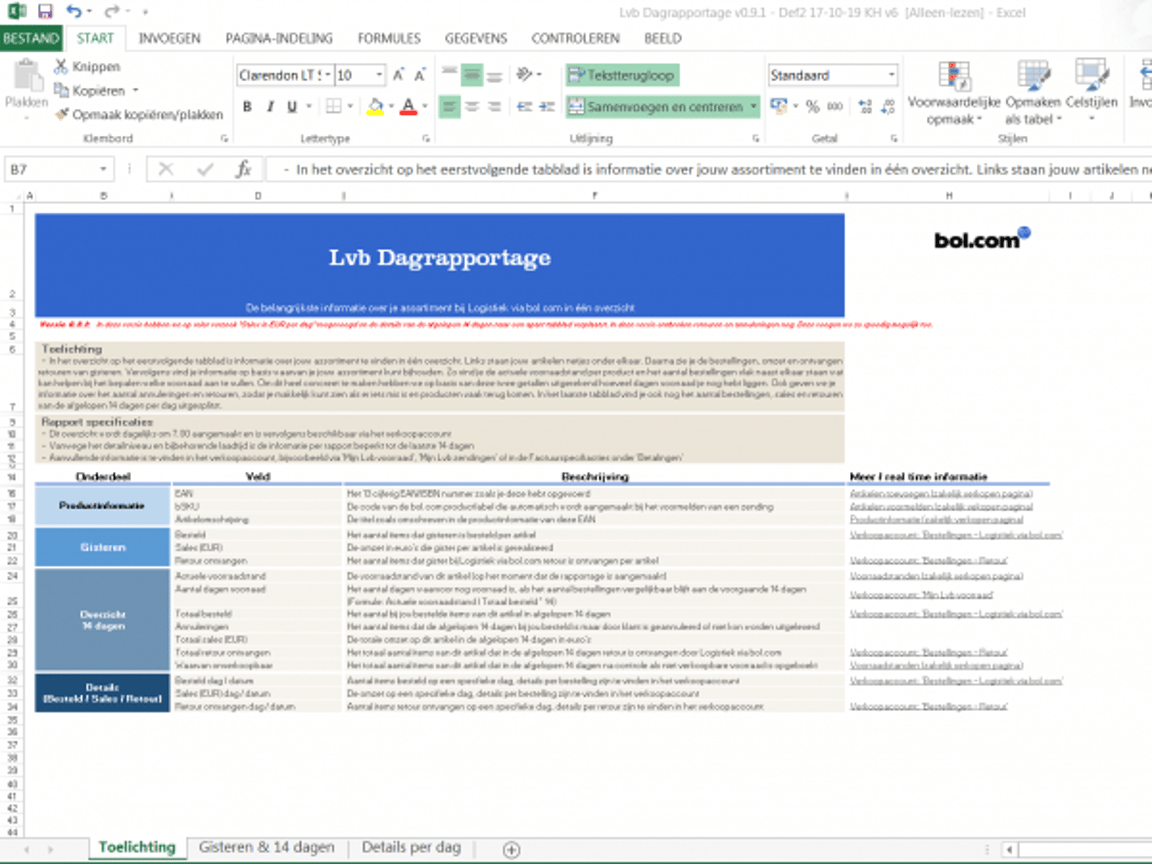
View tab 1 for the explanation
This tab explains the Logistics via bol daily report. On the right side, you will find a link to a relevant item for each field.
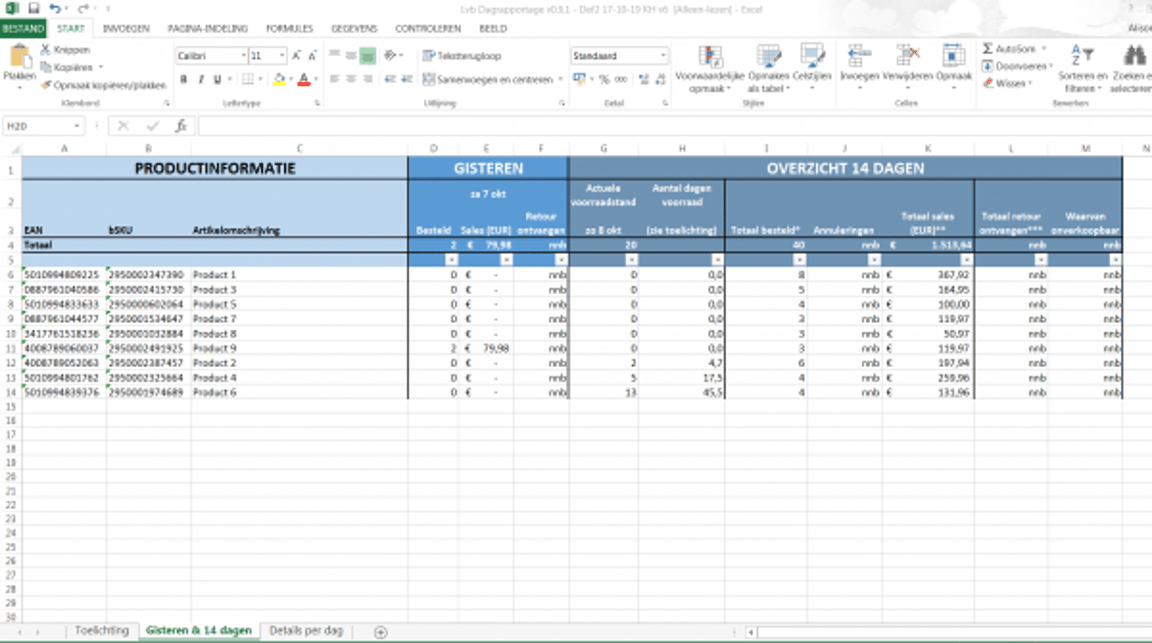
View tab 2 for ‘Content’, ‘Yesterday’ and ‘14-day overview’
Within this tab, the leftmost columns describe your content, the middle columns provide an overview of yesterday, and the rightmost columns cover the past 14 days. The explanation tab contains a short description for each column.
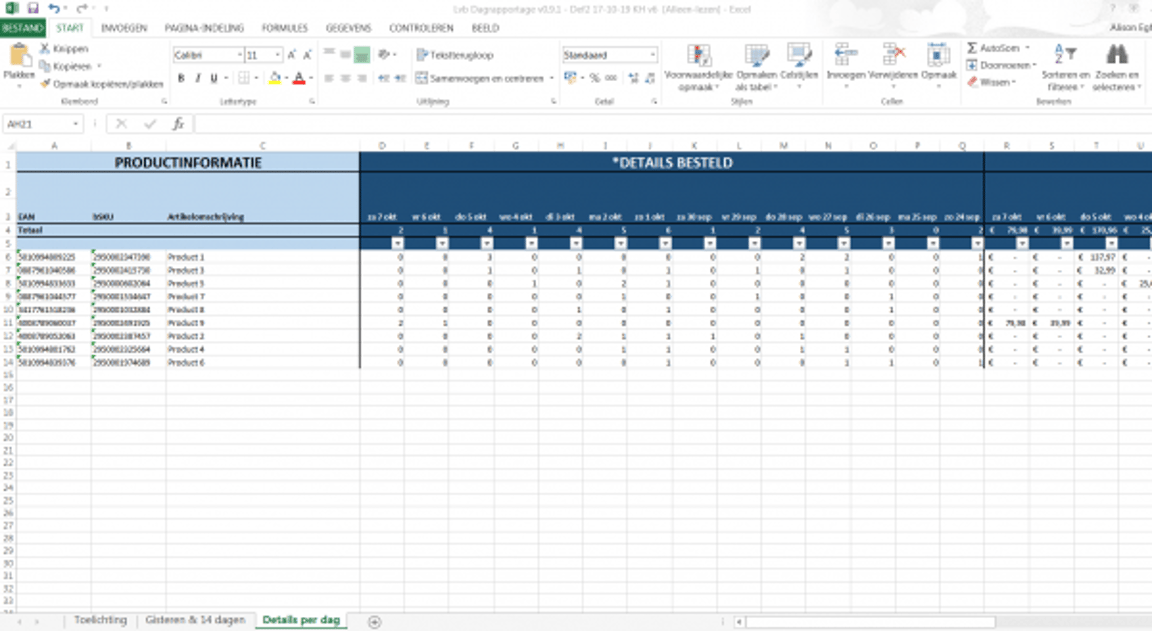
View tab 3 for the details
Within this tab, you can read the details per item. The leftmost columns display the content per item, and the rightmost columns show the details regarding the number of items ordered per day, sales in EUR per day, and the number of returned items.
VAT across borders
For cross-border sales, different VAT rules apply (the so-called ‘intra-Community supplies’) concerning sales to business customers and ‘distance sales’ concerning sales to private customers.
For more information, please refer to this page for Dutch entrepreneurs or this page for Belgian entrepreneurs.