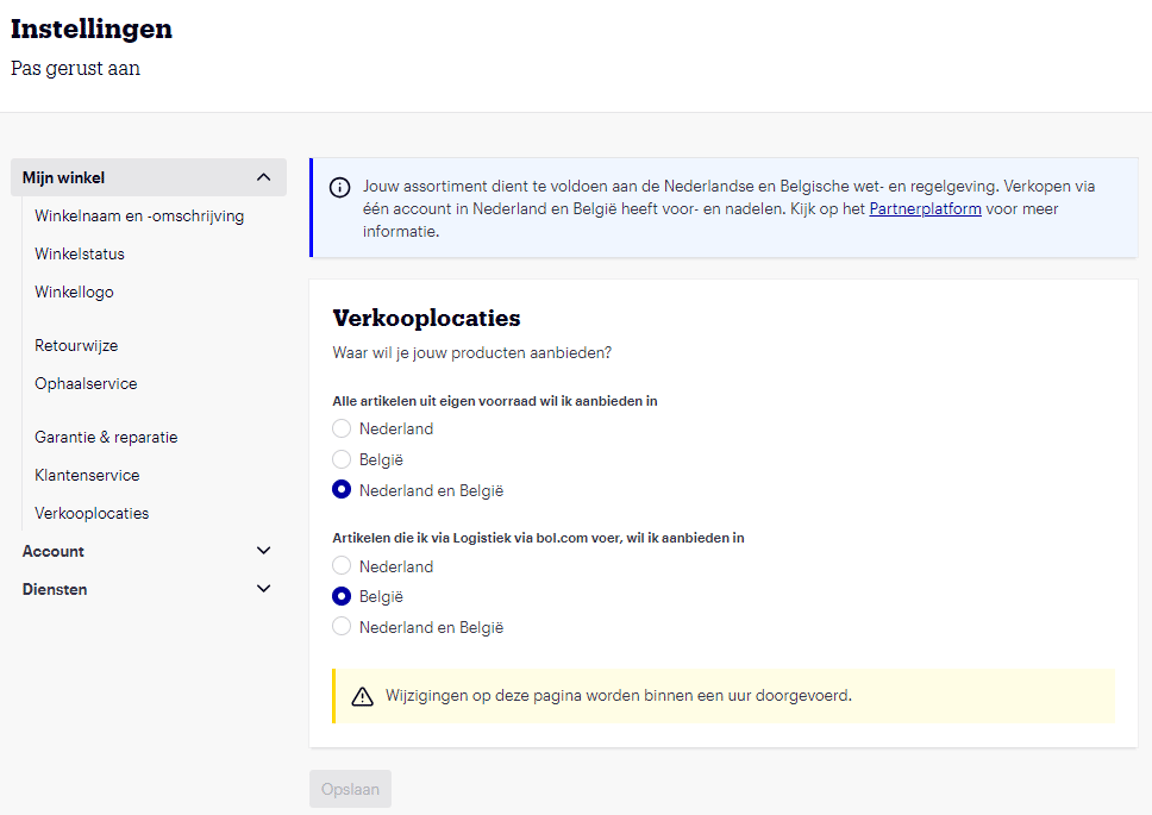
Setting sales locations
You can adjust your sales reach via ‘Sales location’ in your seller account settings. You can choose to sell only in the Netherlands or Belgium, or to offer your product range in both countries. When you sell in both countries with one seller account, we call it a ‘combination account’. Your product range will then be visible to both Dutch and Belgian customers.
Setting sales location(s) in your seller account:
Choose where you want to sell
Before you decide where you want to sell, please be aware of the following:
- The wishes and needs of Dutch or Flemish customers may differ, and this can affect your sales success.
- Your items must comply with the laws and regulations of the country in which you offer them. Further down this page, you can read more about ‘Selling in Belgium’ and ‘Selling in the Netherlands’.
- Ensure that specifications such as delivery time and options are aligned with the capabilities of the delivery partners in the country where you sell the item.
- For cross-border activities, we advise you to research the tax implications.
Choose how you want to sell
If you want to sell in both countries, there are 2 options:
- Selling from 1 seller account
With a combined seller account, the same price, delivery time, return address, and other (return) conditions apply to both countries. You can also manage the stock of your items simultaneously. - Selling from 2 seller accounts
By selling from 2 seller accounts, you can individually determine for each item in which country you sell it and at what price and delivery time. Additionally, it is possible to enter a different return address. First, check the conditions that you, as a partner, must meet if you want to create multiple seller accounts. If you meet the conditions and want to create an additional seller account? Here's how:
- You need a bol account that has not been previously used to create a seller account. Don't have such an account yet? You can create one during the registration process.
- From this (new) account, create a professional seller account.
- Indicate in which country you want to sell from this seller account.
Process your choice in your seller account
You can find your sales locations in your account under ‘Settings’ in the section ‘Sales locations’. Here you can submit your choice. You will then see the screen below. Before saving your change, you will receive a notification asking if you are sure. Only after clicking ‘Yes, I'm sure’ will your new settings be saved and processed.