
Return of stock
On this page, you can read everything you need to know about shipments containing stock that is returned to you.
Insights into returned stock
Via your seller account, you gain more insight into shipments containing stock that are returned to you.
Go to the screen: “My LvB shipments”. Then click on the tab “Stock returns’’ as shown in the image below.
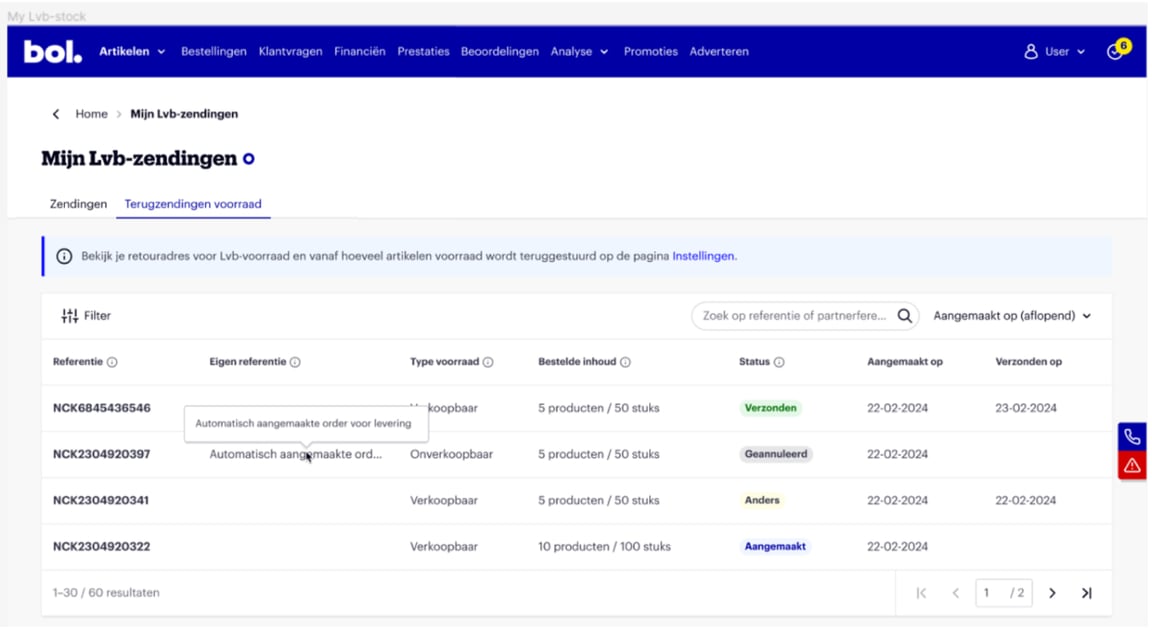
What can you see about returned stock?
Stock type
This returned stock can consist of sellable and unsellable stock, or stock that you have recalled yourself. More information about sellable and unsellable stock can be found here.
Status
The shipment with the returned stock can have different statuses.
- Created: The shipment has been created, and we are processing it
- Shipped: The shipment has been shipped and is on its way from the Fulfilment center to the return address you provided for your Logistics via bol stock
- Cancelled: The shipment has been fully cancelled
- Other: The shipment has been partially cancelled, partially shipped, and/or created. Click on the shipment to view more details about which items have which status
Details
It is also possible to view the specific details of the shipment with returned stock. This allows you to see which items and how many units the returned shipment contains. You can view this by clicking on the specific shipment. As shown in the image below.
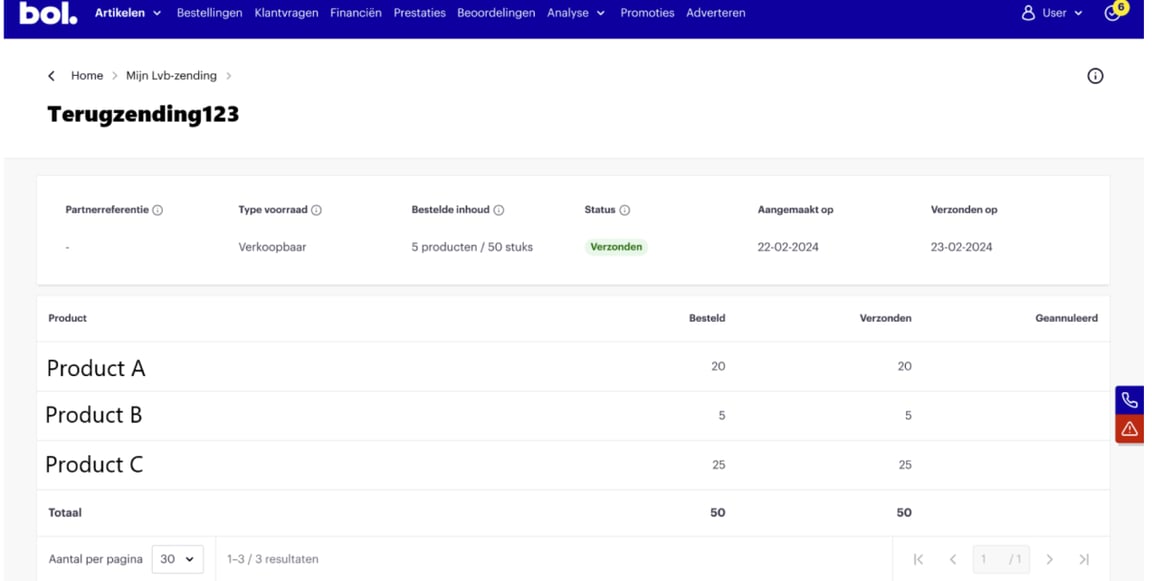
View settings: return address and number of items
Additionally, on the “Settings” page in your seller account, you will find the following 2 related items:
- The return address where your Logistics via bol stock will be sent back to
- The minimum number of items from which stock will be returned