Returning Stock
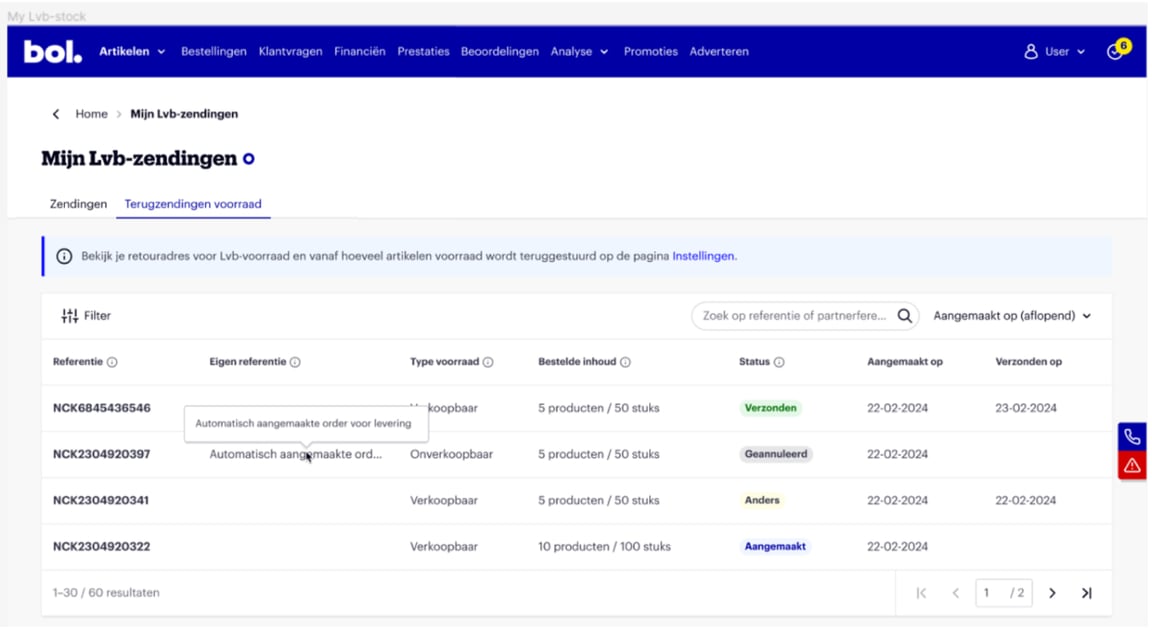
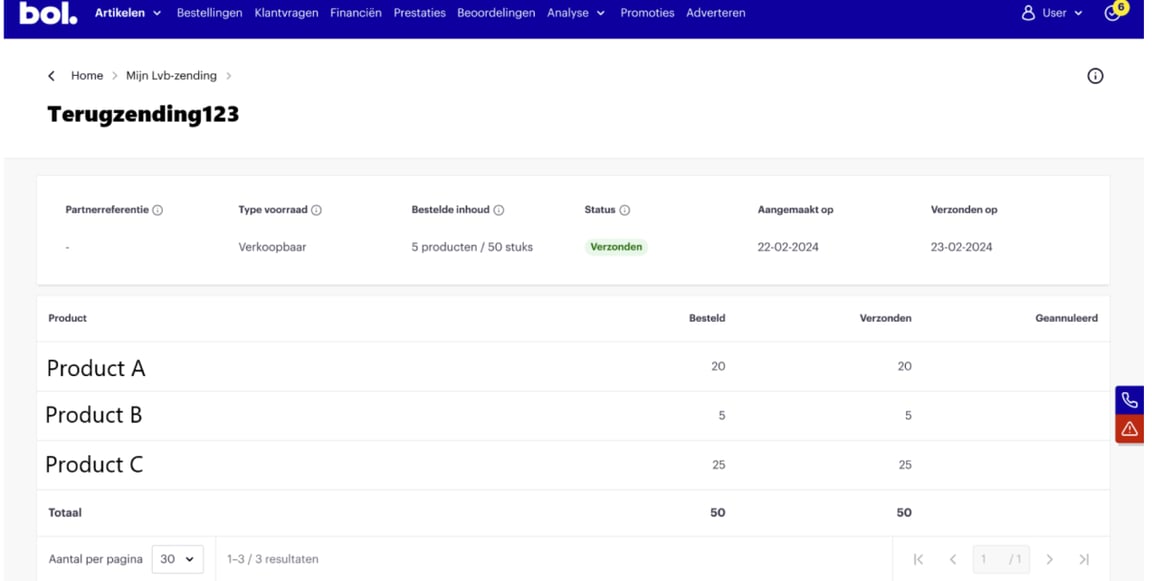
On this page, you will find out how to have your stock returned.
Returning sellable stock
Do you want to have your sellable stock returned? The cost for this is €0.45 per returned item, plus shipping costs. Here's how it works:
- Retrieving stock for specific items
In 'My items', select the items whose stock you want to have returned to yourself. Click 'More bulk actions' and then choose 'return stock via bol'. - Retrieving stock for a large number of items
If you have an Excel list with EANs that you want to have returned, you can copy this list from Excel and then paste it into the search bar. Below that, check the box next to 'Select items from the list to perform actions on'. Click 'More bulk actions' and then choose 'return stock via bol'.
Returning unsellable stock
- Automatic return:
This is the default option. As soon as the unsellable stock reaches 15 items, or one of the unsellable items has been in the bol warehouse for 3 months, the items will be returned automatically. In your seller account, under 'Settings' and 'Logistics via bol', you can set the number of unsellable items you want to have returned automatically. You also enter the return address here where you want to receive this stock. You can enter a minimum of 0 and a maximum of 200 items here. The counter is automatically set to 15 items. The cost for this is €0.45 per returned item, plus shipping costs. With the return shipment, you will receive a packing slip indicating the customer return reasons, if available. You can find the shipping costs here. - Disposal:
Do you want to have items destroyed? Please contact Partnerservice to arrange this. The cost for this is €0.45 per item.
Unsellable stock can only be returned or destroyed in its entirety.
Have you received an incorrect item in a return shipment, or is an item missing? Please contact Partnerservice with the following information:
- The RMA reference, which can be found on the packing slip and in the email you receive after a shipment has been returned.
- The EAN and the information on the yellow sticker of the received item.
*See here for more information about unsellable stock.
Damage or missing items
Is there damage or a missing item in your returned stock? Please contact Partnerservice as soon as possible after receiving the shipment, and no later than within two weeks. Provide the following information:
- Any photos of the damage.
- Description of the item packaging (e.g., dimensions, color, any stickers and logos, or other identifying features).
- The contents (please explain any internal item codes with a description of the items).
- The value of the shipment.
Packaging method
Unfortunately, it is not possible to specify the dimensions of the return shipment in advance. The packaging method is determined by the type of items. For example, heavy shipments are sent on a pallet to prevent damage, and items are bundled as much as possible so you can easily unpack the shipment.
Return address
The return address can be changed in the seller account. Go to 'Settings' and under the 'Services' heading, choose the 'Logistics via bol' option. Please note the following:
- The return address cannot be a reply number or PO box.
- A street name can contain a maximum of 40 characters. If the street name is longer, shorten it (e.g., 'Burg.' instead of 'Burgemeester').
Delivery of sellable or unsellable stock
Sellable and unsellable stock is returned. Please keep the following in mind:
- Changing delivery address
If a return shipment has already been created but the confirmation email you received contains the incorrect address, please contact Partnerservice.
- Delivery appointment
It is not possible to make a delivery appointment for returning sellable or unsellable stock. - Collection point
It is also possible to have stock returned to an address in France, Germany, or Great Britain. Please note: these addresses are not automatically checked for accuracy. You bear this risk. Additionally, the costs for returning stock to an address outside the Netherlands or Belgium are higher.