
About the Brand Page Creator
The Brand Page Creator is a user-friendly self-service tool that allows you to design your own space to tell your brand story, present items, and build customer loyalty.
What have you learned after reading this page?
You will learn how to independently:
- Create a Brand Page
- Design and manage the page
- What information and materials you need for this
You decide how to set up these pages. With our templates, you can easily bring a brand page to life in a way that best suits your brand.
What are Brand Pages?
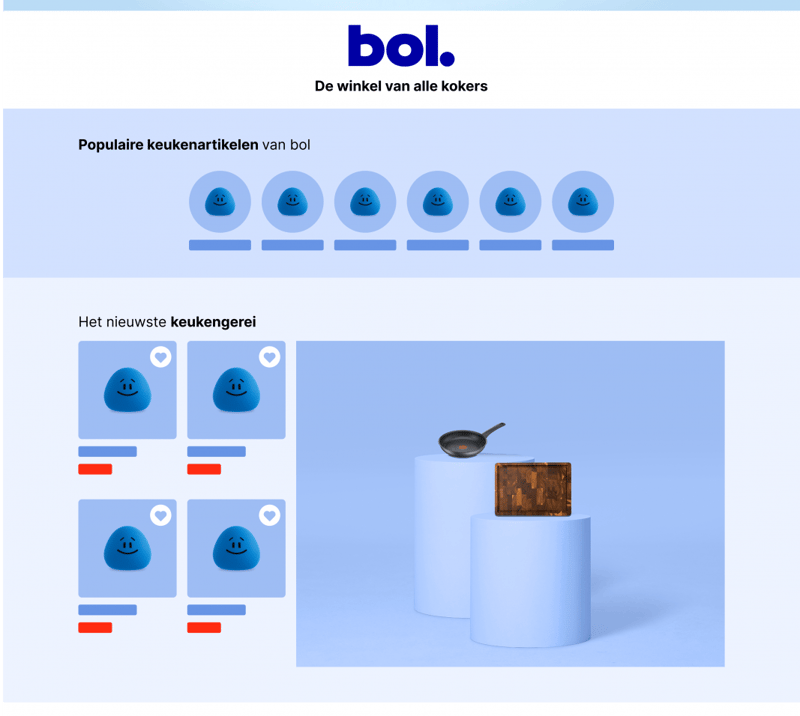
A Brand Page is a special landing page for your brand on bol. It's the place where customers can get to know your brand at a glance and discover your product range.
This page receives traffic from Branded Shelves, giving you direct visibility in a relevant part of the customer journey.
With Brand Pages, you can share your brand story, highlight new launches, and inspire customers. Because it's a self-service tool, you decide how this page looks and what you communicate.
See an example in this video:
The benefits of your own Brand Page
Sales and conversion are at the top of the list. But to get there, other aspects are also important, such as:
- Launching or promoting items or product lines
- Reaching specific (new) customers
- Inspiring customers with the brand story
Brand Pages can help achieve these goals. They increase visibility on bol, make brands stand out, and inspire customers to choose certain items. Because the tool is self-service, you are completely in control: you choose what to show and how to design it.
Choose the perfect template for your brand goal
We offer 3 templates, each aimed at a specific goal. You can preview each template to make the best choice that aligns with your strategy:
- Item visibility
Ideal when you want to increase the visibility of your items. Here, the product carousel and featured item are higher on the page. - Brand visibility
The best choice for brands that want to increase brand recognition. The focus is on the brand story and brand video. - Basic
Perfect for brands with limited content. This template is quick and easy to set up and contains only the essential components: banner, logo, product carousel, categories, and brand story.
Creating a Brand Page
Before you get started, it's helpful to know what steps and materials are needed. This way, you can prepare everything correctly at once.
Banner
Upload a banner image without a logo (2880 x 1152 px – aspect ratio 5:2 – max. 3 MB).
Logo
Upload your logo as a PNG with a transparent (or white) background (minimum height: 256 px).
Brand story
Share more about your brand with an image (1200 x 1200 px).
Categories
Choose 2 to 6 product categories (minimum width: 344 px).
Video
Enhance the brand experience with a video (1920 x 1080 px, max. 200 MB).
Product carousel
Select the items you want to highlight in this section.
Product catalog
Let customers see your curated item selection at a glance (1200 x 1600 px and 4 items).
Featured item
Put your hero item in the spotlight (1200 x 1200 px).
Moderation and conditions
If your brand page is rejected, you will find the reason in the email you receive. Review the feedback, adjust your page, and resubmit it.
Curious about how our policy points system works? Here you will find all the information.
Content quality
To build your brand page as effectively as possible, it's important to know what the content needs to meet to be of good quality. You can read all about this on this page.
Review and approval
After submission, we review the page to ensure it meets the platform guidelines. This usually takes 5-10 business days. You will receive an email once the page is approved or if adjustments are needed.
Once your brand page has been internally approved by bol, you can make changes via the Brand Page Creator. Click "Edit" next to your brand name to make adjustments. Please note that the page may need to be re-approved, which can again take 5-10 business days.
Please note: this does not apply if you only change EANs of items; those changes are automatically processed.
Moderation
Because the tool is new, the moderation time may be longer in the initial phase, up to a maximum of 10 business days. This time is expected to gradually decrease, with the goal of a review within a few business days.
Good to know
Because the tool is new, the moderation time may be longer in the initial phase, up to a maximum of 10 business days. This time is expected to gradually decrease, with the goal of a review within a few business days.