The payout model
As a new partner of bol, you are typically paid twice a month (since January 1, 2024). You can also choose to be paid once a month. Want to know how this works and how to adjust it? We explain it on this page.
If you receive payouts once a month, this happens on the first working day after the 1st of the month. However, it might be more convenient if this happens more often. That's why you can choose to receive payouts more frequently. You will then be paid on the first working day following the 1st and 15th calendar day of the month. For example: if December 1st falls on a Sunday, you will be paid on Monday, December 2nd. If December 15th falls on a Sunday, you will be paid on Monday, December 16th. A 7-day reserve period applies here. We explain exactly what that means below.
2 payout schedules
You have the option of 2 payout schedules:
1 - The first payout schedule is set by default and includes 2 payments per month.
You will be paid on the first working day after the 1st and 15th of the month. A reserve period applies to this payout schedule. This means that you will be paid for all shipped orders that were processed at least 7 days before the invoice date. For example: if the invoice date is December 1st, then the latest processing date is November 23rd. This means that you will be invoiced for all orders (both revenues and associated costs) processed before November 24th. The invoice period in that case will be from November 8th to December 23rd.
Please note! This means that the first time you switch to a bi-monthly payout, you will only be paid for the first 7 days of that month.
This also means that if you switch back from the bi-monthly payout model to the monthly model, you will receive the 7-day reserve period additionally with your monthly invoice. For example: You switch from the bi-monthly model to the monthly model in the second quarter. The change will then take effect in the third quarter, and you will be invoiced once on July 1st for the period from May 25th to June 30th. In the period after that, you will again be invoiced, as usual, for the entire previous month on the first of each month.
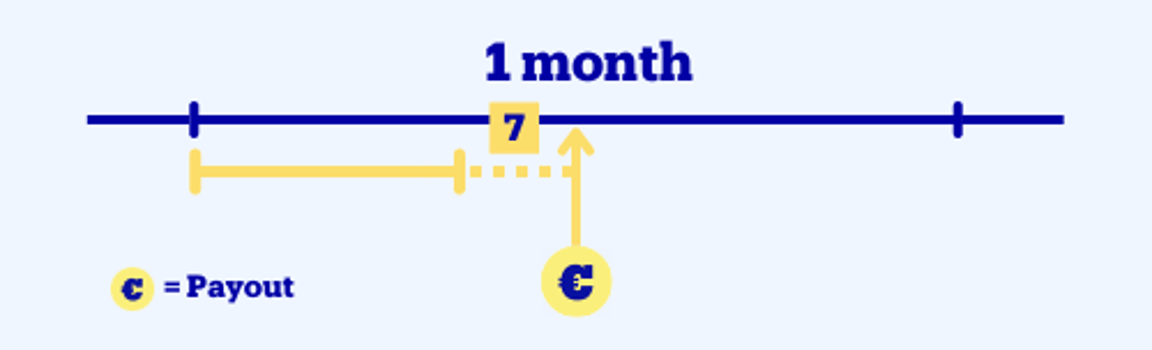
After that, the schedule below will apply.
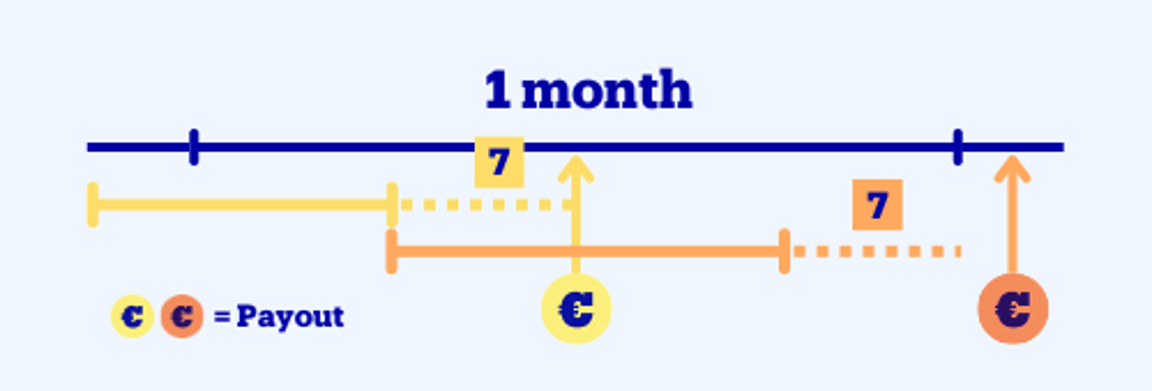
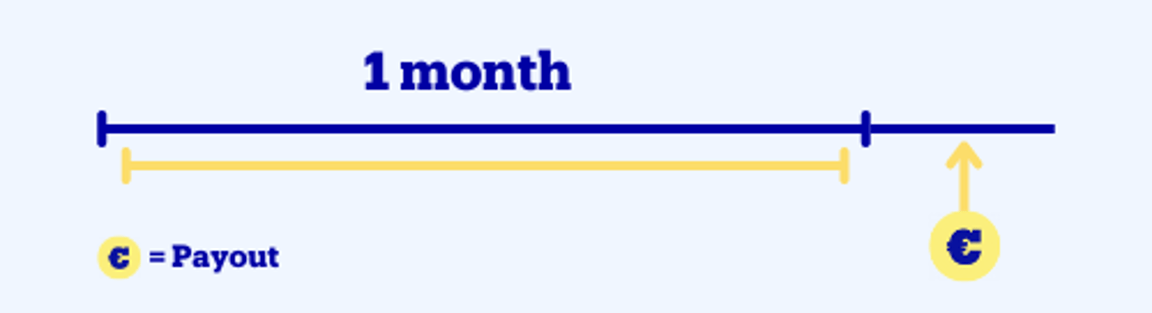
2 - With the second payout schedule, you get paid once a month.
You will be paid once a month for the entire previous month, without a reserve period. The payout takes place on the first working day after the 1st of the month.
Adjusting your payout frequency
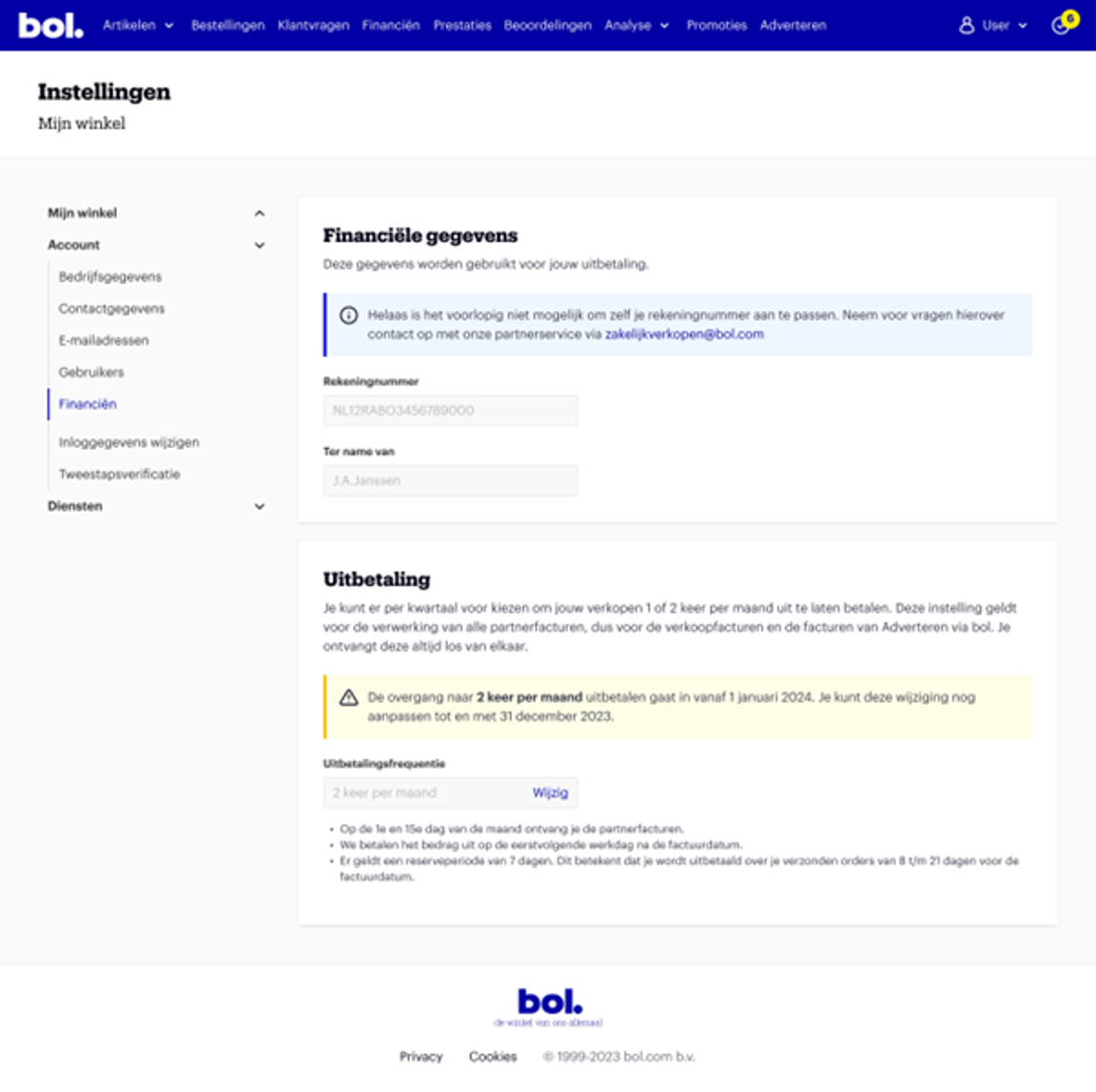
You set your desired payout frequency via your seller account. Go to the Finance screen (via Settings – Account) and select how often you want to be paid under 'payout schedule'. You can always submit your adjustment in the seller account, but it will only become active from the first day of the next quarter. It is not possible for the adjustment to take effect earlier. Below you can see on which page in the seller account you can submit the adjustment.
Here you can submit the adjustment
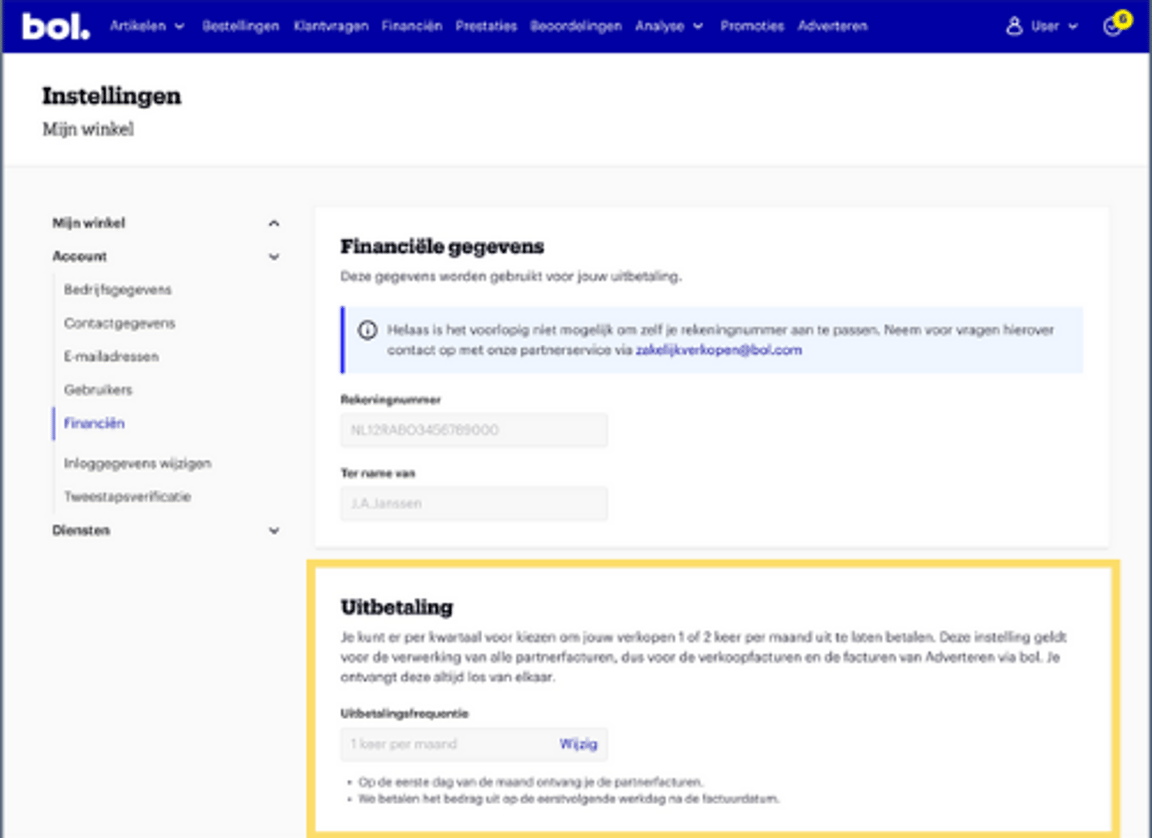
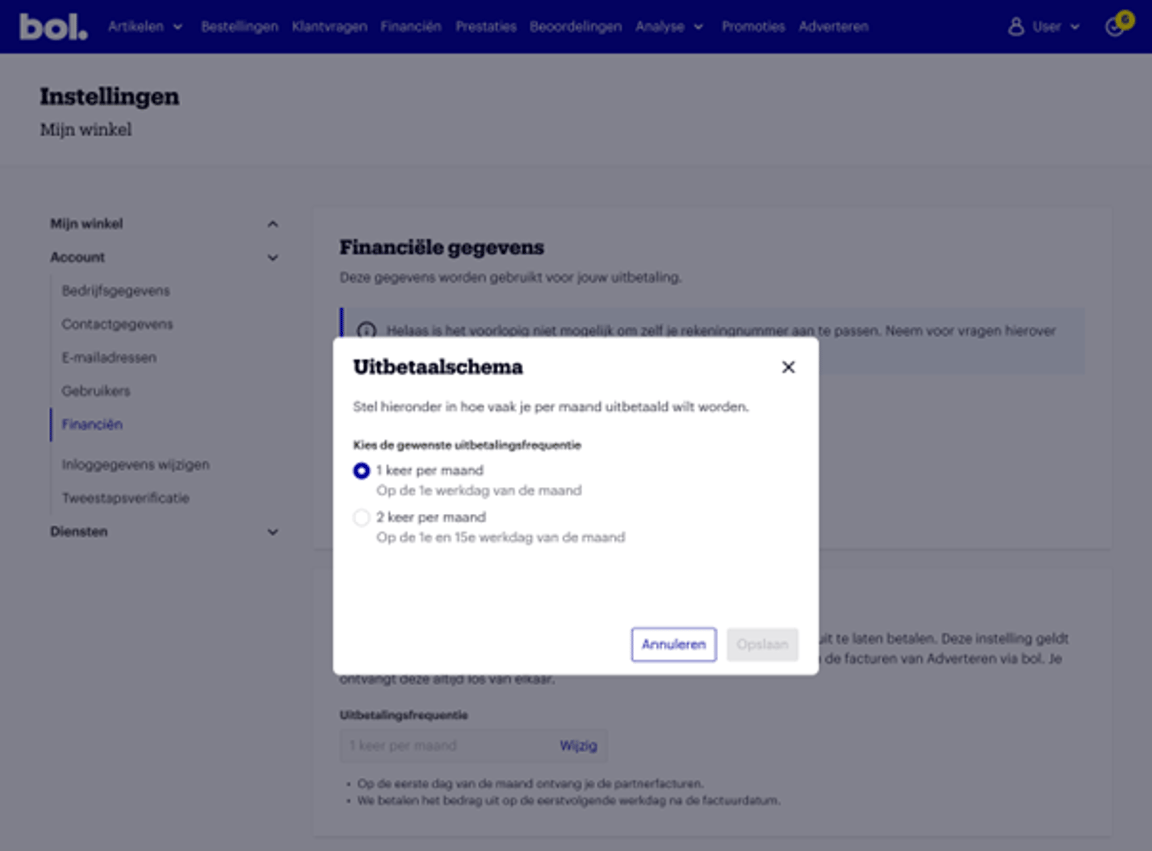
After clicking 'Edit', the screen below will pop up.
Choose the payout schedule you prefer here.
After making an adjustment, you will see the schedule below.
Here you can see when this takes effect.