
Shop Status
Do you want to change the status of your shop? For example, by temporarily closing it? Read here how to set this up in your seller account.
Shop Status
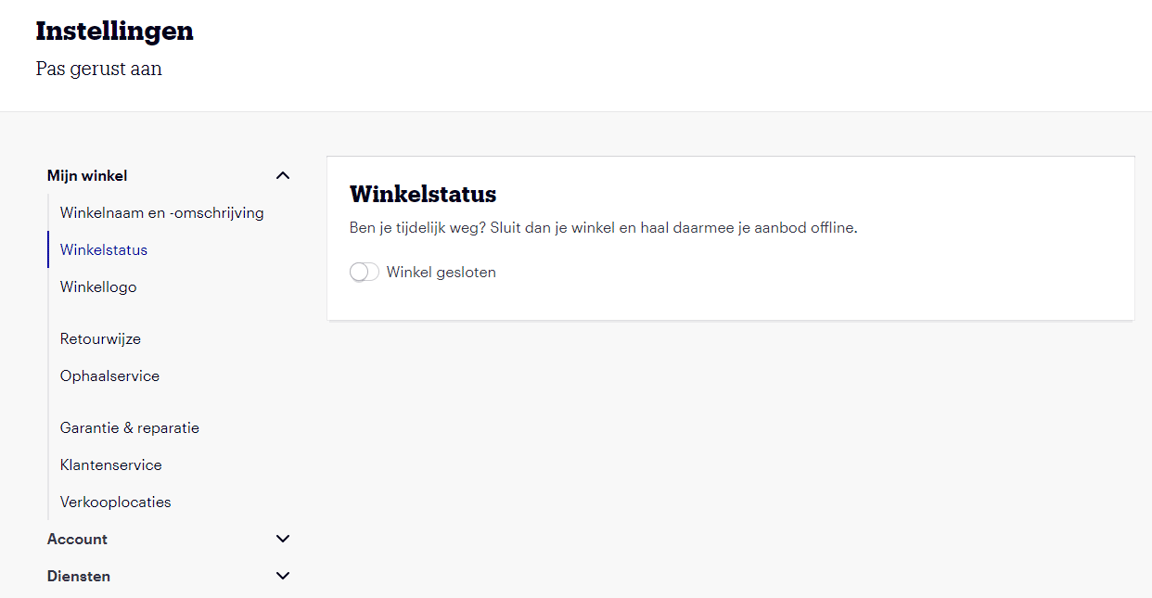
You can find your shop status in your account under ‘Settings’. Under 'Shop Status', you'll find the option to temporarily close your seller account. Once you've set this, your offer will be temporarily taken offline, meaning customers won't be able to place new orders. Your items will not be removed from your seller account and will remain visible under ‘My offer’. This means no offer or content will be lost.
There is a processing time of up to 24 hours for taking your offer offline. Until your offer is offline, orders can still be placed. So, make sure you close your shop well in advance.
Even when your shop is closed, service standards and terms still apply. Customers still expect their questions and return requests to be handled promptly. Therefore, always ensure these are addressed in a timely manner, even when your shop is closed.
Permanently close your seller account
Do you want to stop selling via bol? On this page, you'll find the information you need to permanently close your seller account.