
Set up Customer Service
Read everything you need to know about setting up customer service on this page.
Set up Customer Service
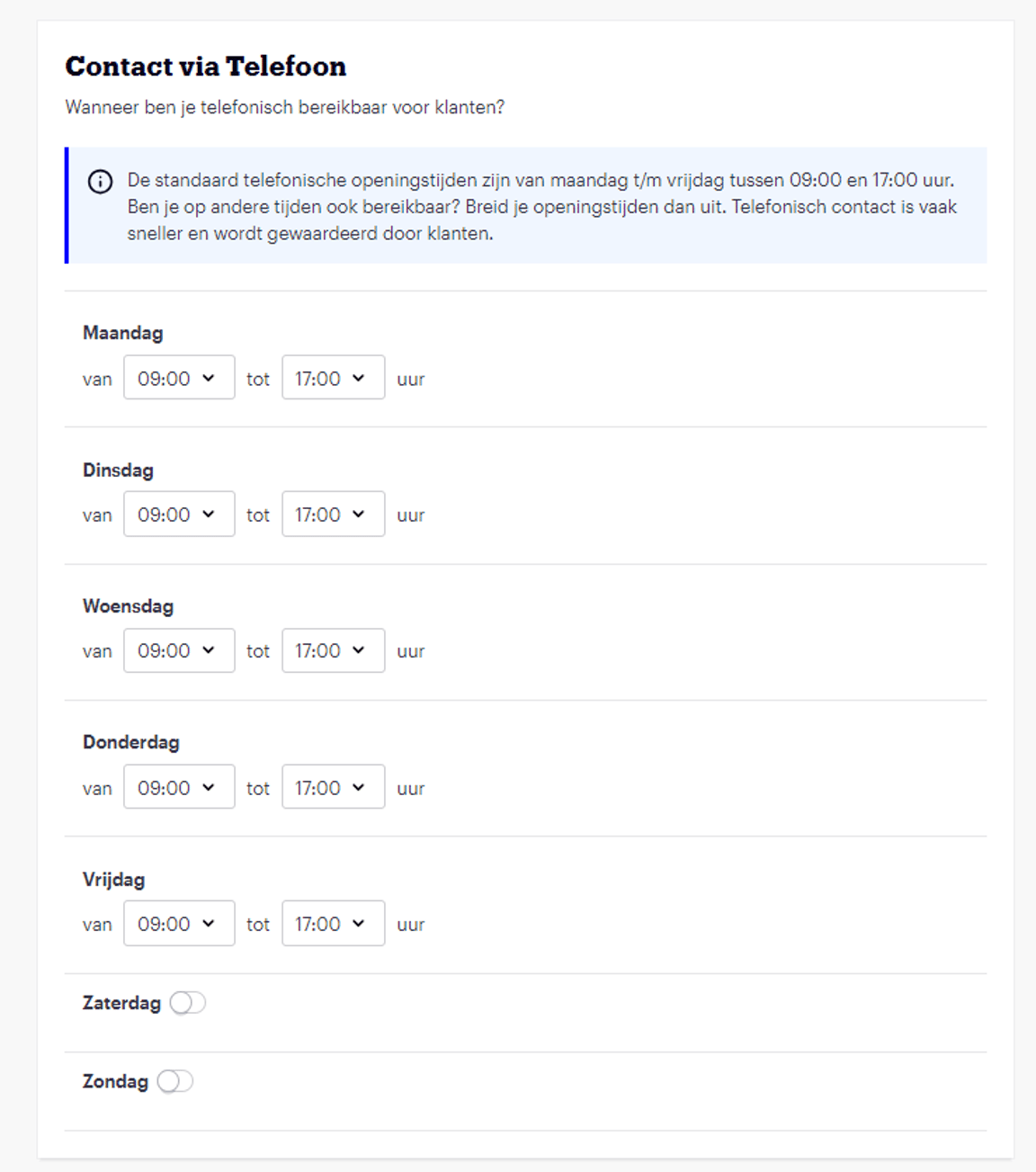
You can find your customer service settings in your account under 'Settings' in the 'Customer Service' section. Here you can specify how and when you are available by phone for customers. As stated in the service standards, you must be available for customer inquiries on weekdays between 09:00 and 17:00. You can also indicate that you are available for customer inquiries outside standard opening hours. This is often greatly appreciated by customers and can have a positive effect on your customer ratings.
New: Phone customer service available in multiple languages
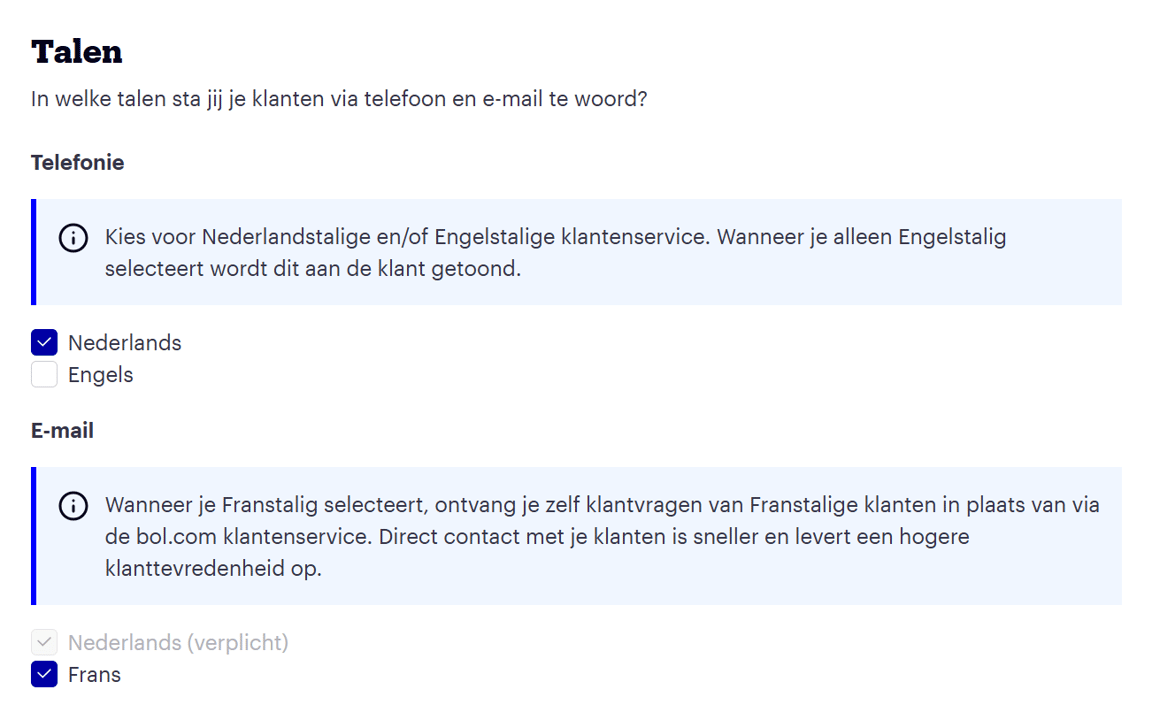
From March 6, you can set the language(s) you use to communicate with customers in your seller account: Dutch and/or English. This new feature ensures that customers know in advance whether they can be helped in English. This happens if you only select English as your preference. For those who set Dutch or both languages, nothing changes for now.
Would you like to adjust your language preference? You can do so via this link or in your seller account under Settings → My shop → Customer Service.
Extend phone customer service opening hours
We expect you to be available on weekdays between 9:00 and 17:00. Only during these hours will we show your phone number to customers. Do you want to extend your opening hours, for example, because you are also open in the evenings or on weekends? Then adjust this in the 'Customer Service' section in your seller account.
Add users
Under ‘Users & Roles’ in your seller account settings, you can grant other users (limited) access to your seller account. In addition to adding a user with the 'administrator' role who has access to all parts of your seller account, it is also possible to create new user roles yourself. For example, you can give an employee access to customer inquiries, but also the ability to view (or manage) the status of current orders. You can find more information here.
Offer French-speaking customer service
If you also want to answer questions from French-speaking customers, you can check this under the 'Customer Service' section. Questions from French-speaking customers will then appear in the 'Customer Questions' tab. You can also contact these customers yourself via the 'Start customer contact' button. By speaking to your French-speaking customers yourself, you help them faster and better, as an expert on your own shipping and product range.
Don't offer French-speaking customer service? No worries. bol has a special French-speaking customer service to support partners in customer contact with French-speaking customers. It can happen, of course, that a customer question is not answered immediately because specific information from you as an expert is missing. We will then ask you for this information and then – in French – provide feedback to the customer. To help our customers as best as possible, the expectation – as with other customer contact – is that you respond to the customer service employee's question within 8 hours.
Prevent Dutch-language emails for French-speaking customers
To prevent French-speaking customers from receiving Dutch-language emails, all Dutch-language emails to these customers are blocked. Exceptions to this are emails with important shipping information (such as the tracking code) and invoices. These are simply forwarded and provided with a French disclaimer. For blocked emails, you will receive a notification that your email was not sent. This way, you always know which emails are affected. Do you think your customer is missing important information because of this? Please contact us.
Frequently asked questions
for you at a glance