
Responding to a negative customer review score
On this page, you will find tips on how to respond to customers who give you a negative customer review score and how to send a re-review request.
Responding to a negative customer review score
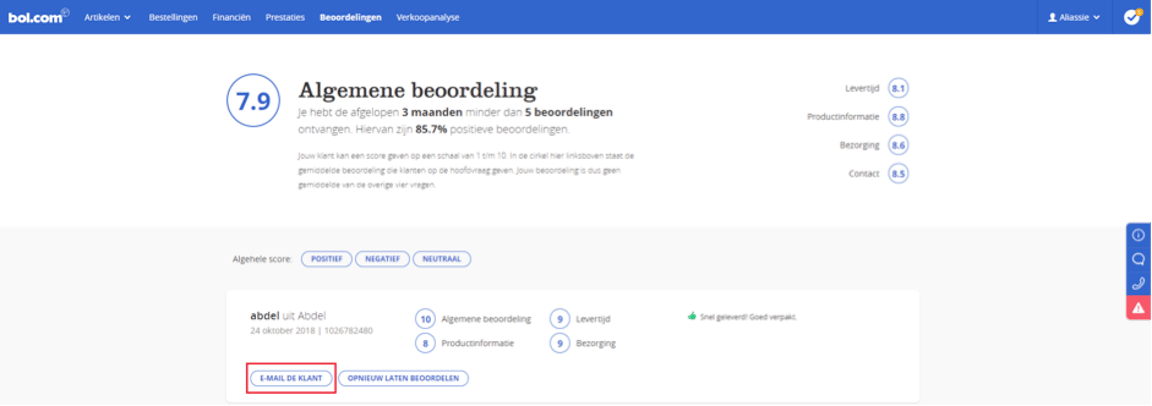
Especially with a negative customer review, it can be valuable to contact the customer. By engaging in dialogue, you can turn a negative experience into a positive one and perhaps offer a solution. In your seller account, under ‘Reviews’, you will find all the reviews you have received. If you want to contact the customer, click on ‘Email the customer’ next to the relevant review in your seller account.
Tips to surprise and value your customer
It is up to you to provide a suitable response, and these three general tips can help you:
- Respond quickly, positively, and personally.
- Show empathy for the customer and their negative review.
- Offer the customer a solution, even if it is not your fault.
The positive side of negative reviews
It's not necessarily bad to have some negative reviews, because by showing negative reviews, you appear more credible to the customer. After all, it can happen that someone is not satisfied. That's why three-quarters of people who search for reviews online are also actively looking for negative reviews. Potential customers can become suspicious if they don't find any. By showing negative reviews and how you handle them, you can gain the customer's trust.
So, don't ignore a negative review!
Please note!
It is not permitted to ask the customer for a re-review in exchange for a consideration – for example, a free item or discount. This is considered bribery and is therefore not acceptable.
Re-review
After you have contacted the customer, you can send them a new review request once from your seller account. This is done by following the steps below:
Send the customer a re-review request
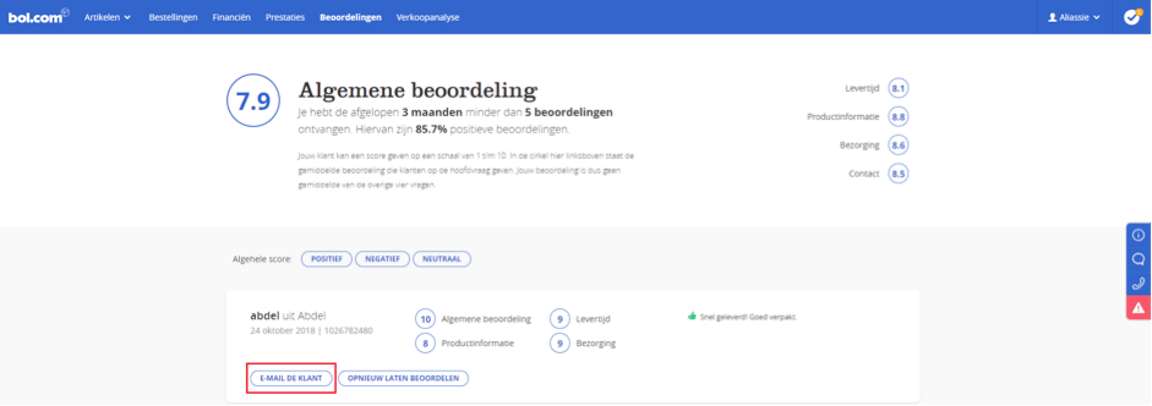
In your seller account, under the ‘Reviews’ menu, click on ‘Request re-review’. Please note: this is only possible after you have contacted the customer via ‘Email the customer’.
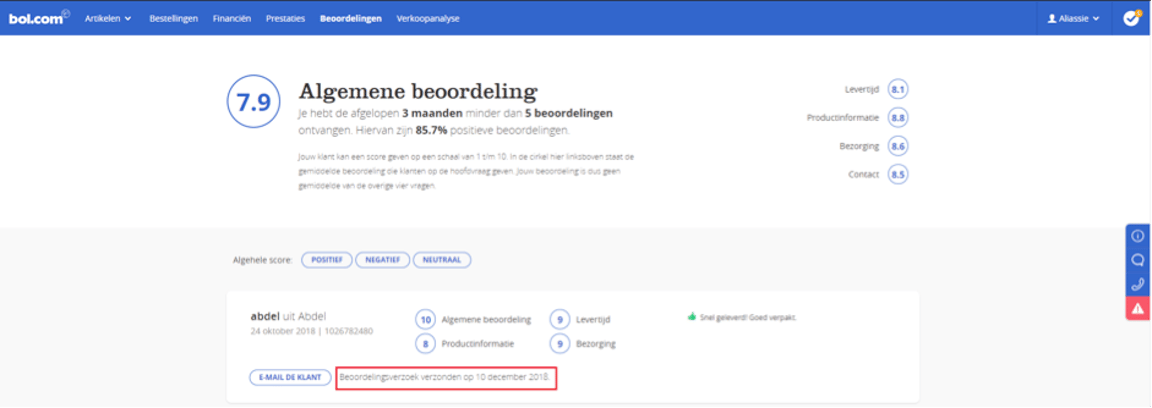
Once the new review request has been sent, the text ‘Review request sent’ will appear in place of ‘Request re-review’, along with the date.
Customer receives a review request
The customer receives a new review request and is only asked for a general review score. The customer can provide a short explanation.
You receive a new customer review
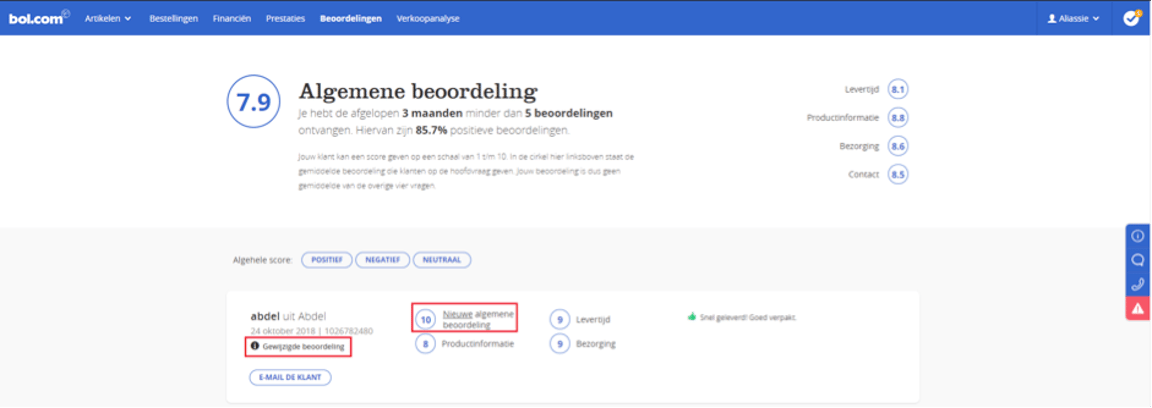
When the customer has submitted a new review, it will appear under ‘New general review’. This new score will be used to calculate your average review score. The other scores from the first review will remain.
Adjusted review score
The review on your personal shop page will also change now.
Please note!
We may proceed to close the shop and seller account of partners who have an average review score of 5.0 or lower.