
Stock mutations
Read everything you need to know about stock mutations, or changes in your Logistics via bol stock, on this page.
Stock mutations
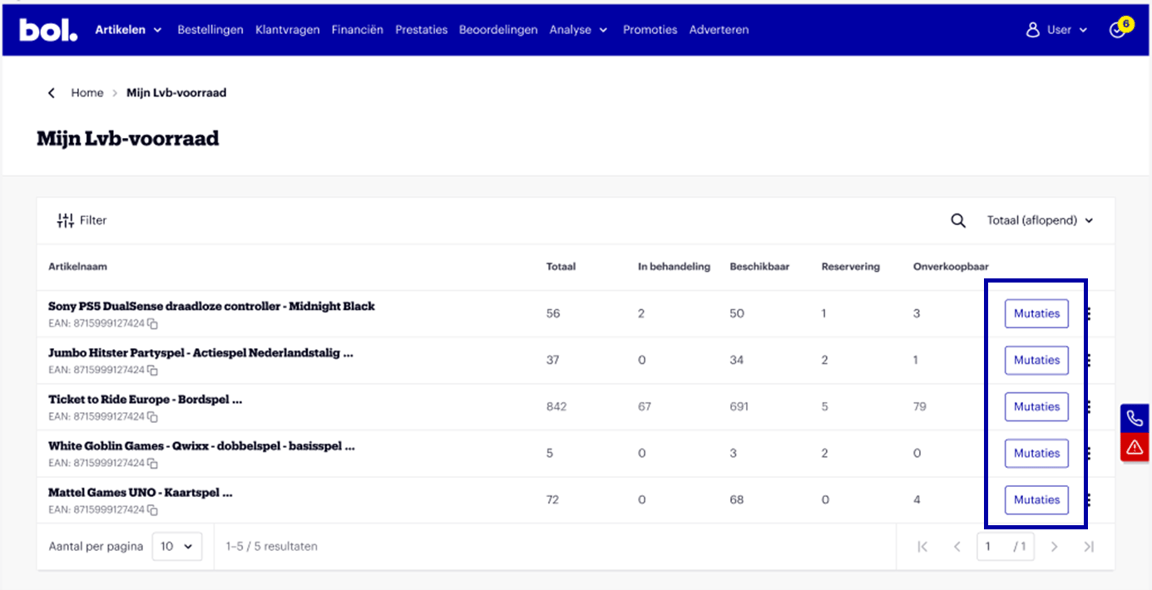
Do you want to know what happened to your stock? In the ‘My logistics via bol stock’ screen in your seller account, you can see the mutations per item. Click on ‘Mutations’.
Stock Insights: Mutation Types
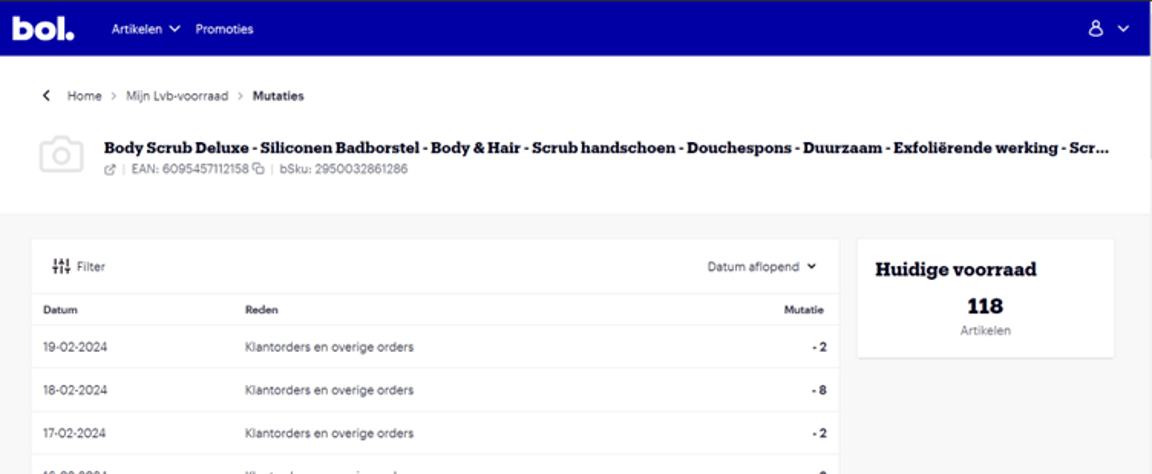
These stock mutations give you better insight into what has happened with your stock. This way, you can see which types of stock mutations occurred on which days. The mutation types that can occur are;
Received items
Received inbound shipments
Returned stock
Stock returned to you
Customer return
Customer returns
Periodic stock counts
We perform stock counts to ensure accuracy
Stock corrections
Adjustments to stock levels
Outgoing stock corrections
Corrections in outgoing stock
Relocation to another stock location
Internal relocations between our fulfilment centers
Customer orders and other orders
Processed orders, such as customer orders
Other
Various stock-related activities not specifically falling under one category