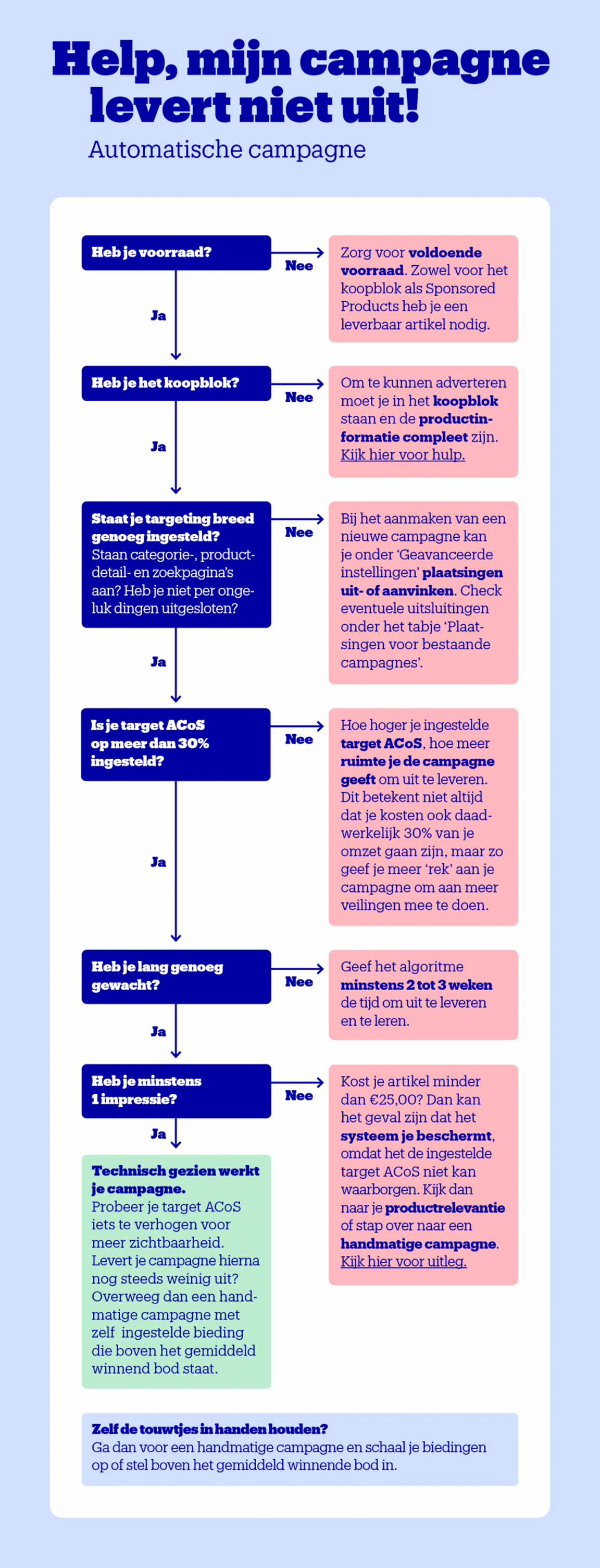
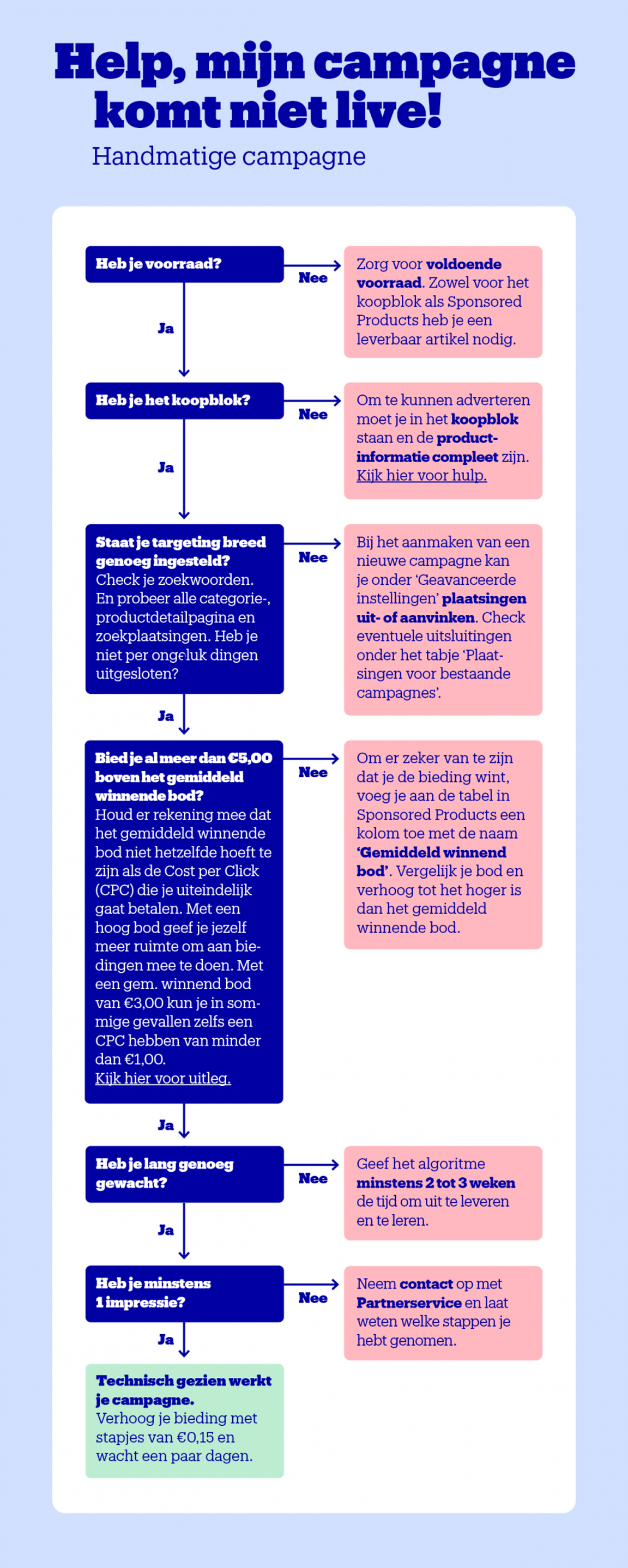
Campaign settings checklist
Ready to launch your first campaign? And do you want to be sure that all settings are absolutely correct? Then use this checklist.
Checklist
Goals clear?
Before setting up a campaign, it's important to be clear about what you want to achieve with it. This allows you to immediately determine which items you should add to the campaign.
Start with an automatic campaign
No one has a product range consisting solely of winners or losers. Some items simply perform better than others. To find out which ones they are, you need to collect information. So, start with an automatic campaign and discover your best-performing items.
Are your keywords correct?
Bidding on the correct keywords is one of the most important factors for a successful campaign. With an automatic campaign, the system ensures that you are visible for the most relevant keywords for your items. You don't need to add keywords yourself. However, you can specify keywords you don't want to be found for (negative keywords).
Do you have a manual campaign? Then make sure you choose good keywords and categories. How do you find out which ones they are? Use insights from previous campaigns or the bol search trends feature to see which keywords visitors often use.
Is there a spending limit on the account?
You can set flexible spending limits, but it's not mandatory. Without one, your sponsored products campaign will always remain active, and you won't have to worry about your campaign coming to a halt. If you have set a spending limit, ensure you have sufficient room to prevent unintended loss of visibility due to insufficient budget.
Have you set a budget?
Have you set a campaign budget? Or are you, for example, opting for a daily or monthly budget? Check if these settings are as you want them and if they match your objectives.
Have you set a start and end date?
Remember that by setting an end date, the campaign will actually stop on that date. Only do this in specific cases, such as for a project-based campaign. This way, you prevent your campaign from unintentionally stopping.
Tip from our expert
Want to stop your campaign? Instead of setting an end date, you can also pause the campaign. This way, you can easily reactivate it later.
Have you selected the correct items?
Always review your selected items before finally launching the campaign. This prevents the wrong items from being included in your advertisements. For setting up a campaign, it's essential that the items you select meet the conditions.
Check the settings
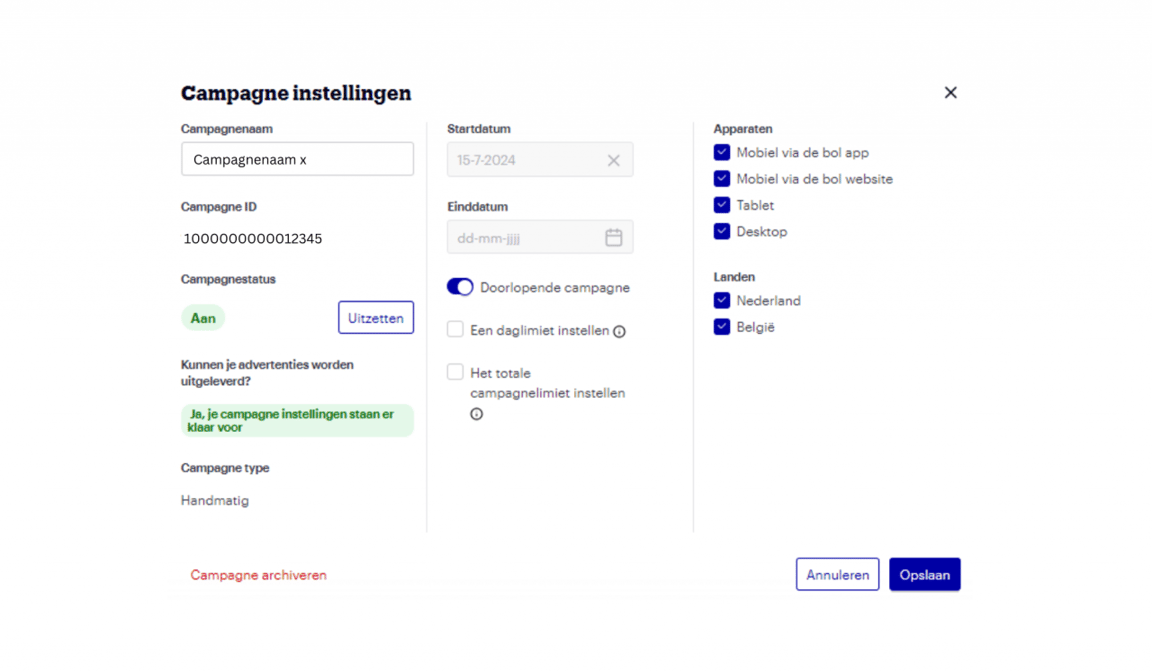
Always double-check if everything is correct. In the top right, next to the gear icon, you can always review your campaign settings. Here you can view all the points discussed above and adjust them if necessary. This includes increasing or decreasing the target ACoS, as well as the daily or campaign limit or the campaign's end date.
Did you know...
If, after going through the checklist, you still have no impressions, your bid might be too low? Gradually increase your bid per campaign or per item by € 0.05 or € 0.10 until you see more activity.
Help, my campaign is not delivering!