
Targeting on pages
Customers can search for items on bol by browsing and typing in keywords. How do you ensure that they find your items in their search? Targeting is a good method for this. The goal? To attract the right audience interested in what you offer.
Where can you target?
You can target at the following levels:
- On the category page
- On the item page
- On the search results page
Are you noticing that you're achieving less favorable results on a category page? Then disable it. Or would you like to be shown on a category page, but not on the item pages of that category? You can easily set that up yourself.
Targeting on the category page
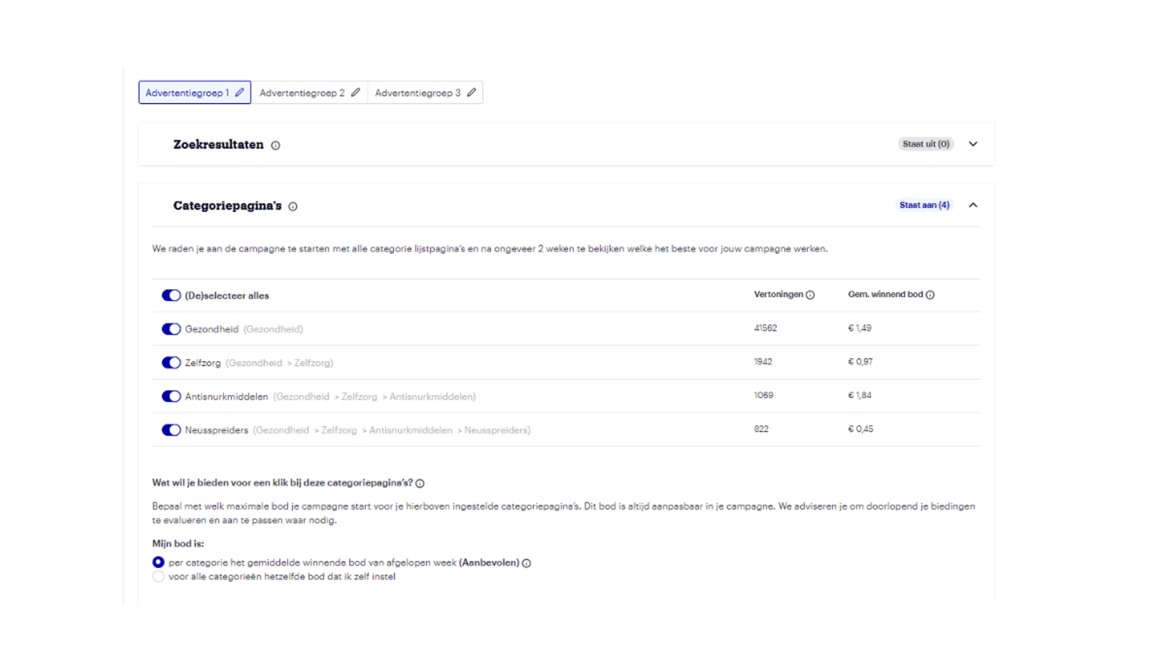
Within sponsored products, you can precisely choose which category pages you want your ads to appear on. We have already set up the categories for you based on the match between the text of your chosen keywords and the title of a category page. This means you only need to select which specific categories (within the existing breadcrumb trail) you want to target. You indicate this by checking a box.
For manual campaigns, it's possible to view the average winning bid per category. This is useful information if you're choosing your own bid. This bid can also vary per category within the breadcrumb trail your campaign focuses on.
Good to know
- If you select a category, all subcategories are automatically selected as well. For example, if you focus on 'skincare', your ads might also appear in subcategories such as 'body lotions', 'body butters', and 'body oils'. In the placement report, you can see where your ads were actually delivered.
- Selecting a specific category does not guarantee that your ad will be displayed in that category. The visibility of your ad is determined by our algorithm, which considers the relevance of your ad and your bids.
- After adjusting your targeting, remember that it's crucial to regularly check your results and give your campaign enough time before you start improving. This way, you can be sure you're on the right track!
Targeting on the item page
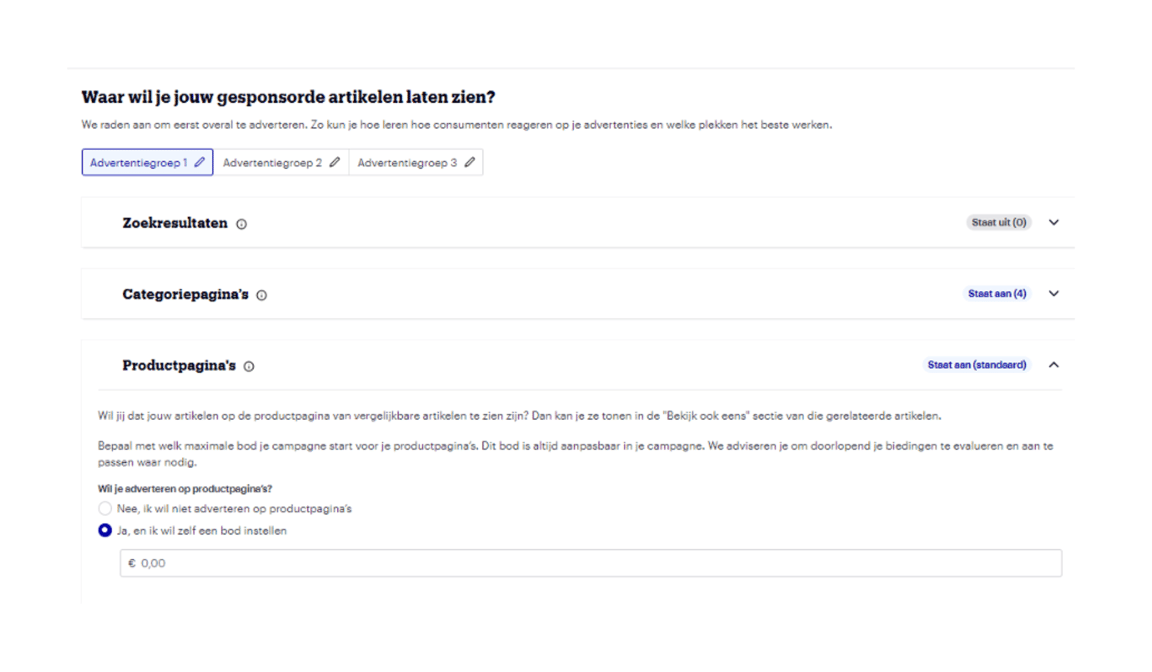
Within your manual campaign, you can also choose which item pages in your chosen categories you want to advertise on. This allows for much more specific targeting!
How it works
Each item is divided into different category levels. For example, the item 'Body Cream X' falls under:
Personal care > body care > skincare > body creams.
You can place targeted bids and specify them at different levels within your item category. This makes your ads more relevant to your audience. This increased relevance can lead to a higher Click-Through Rate (CTR), Conversion Rate (CVR), and number of sales.
The caveat is: the deeper you delve into your category level, the less visibility your ads will receive.
How to set it up
You manually enable this targeting within your campaign.
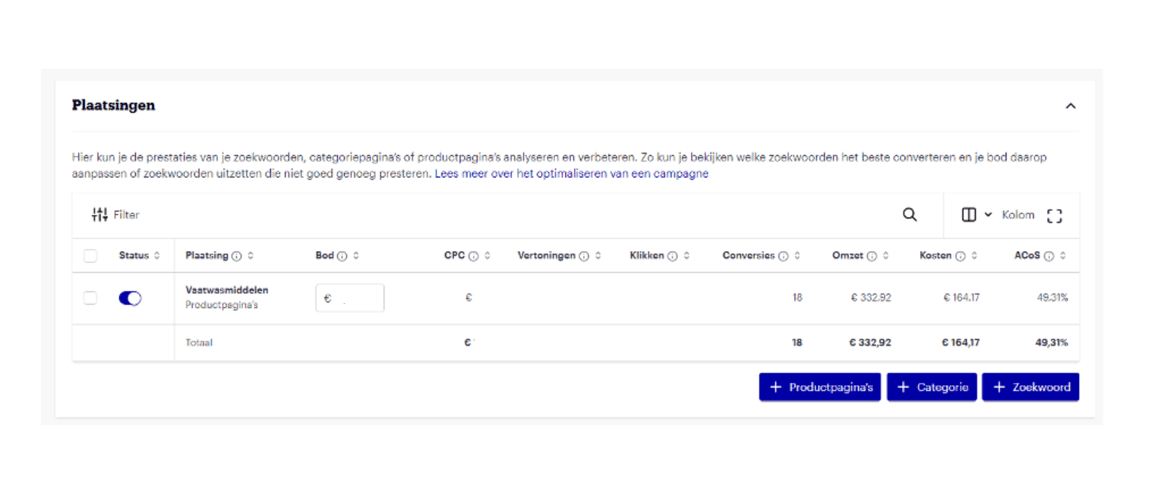
1. Go to the 'placements' overview within your campaign/ad group.
2. Click on '+ Item pages' to apply the targeting.
3. You will then see the categories your item falls into. Here you can add a bid per category.
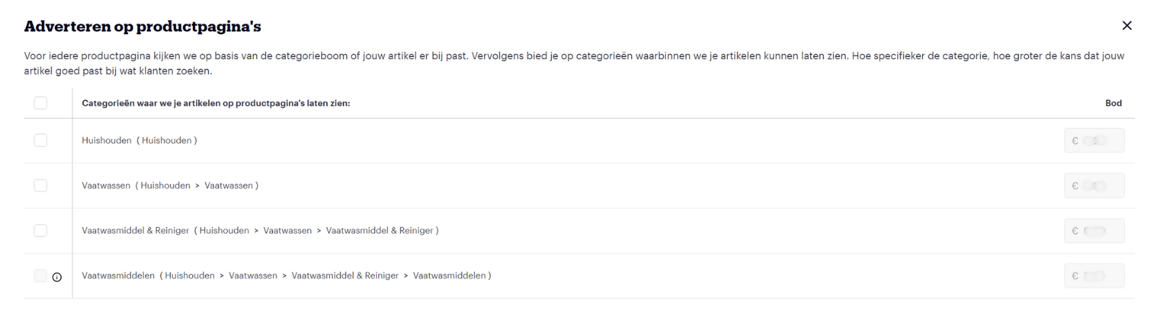
4. Then click 'add' and the targeting will be added to your manual campaign.
Good to know: the old targeting method is automatically archived. However, for API users, they must manually archive the old targeting method.