
Change delivery time via your seller account
On this page, you will find information on how to adjust the delivery time for multiple items via your item overview in the seller account.

Adjust delivery time per item
In the seller account, navigate to the item overview. Click the pencil icon in the delivery time column to change the delivery time.
Adjust delivery time for multiple items
Click ‘Items’ at the top and then select ‘My items’
Select all items for which you want to adjust the delivery promise
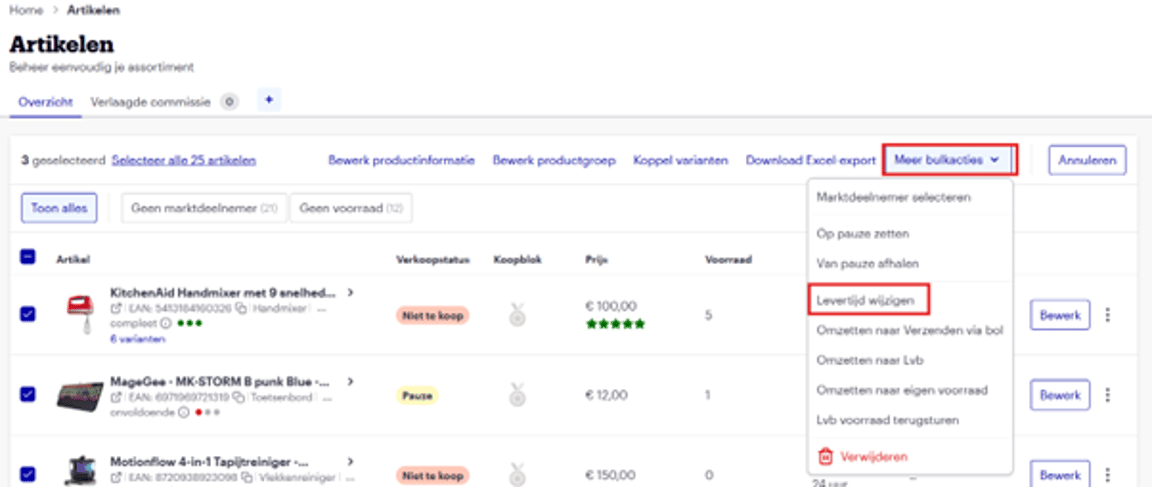
Click ‘More bulk actions’ and then ‘Change delivery time’:
A pop-up will appear.
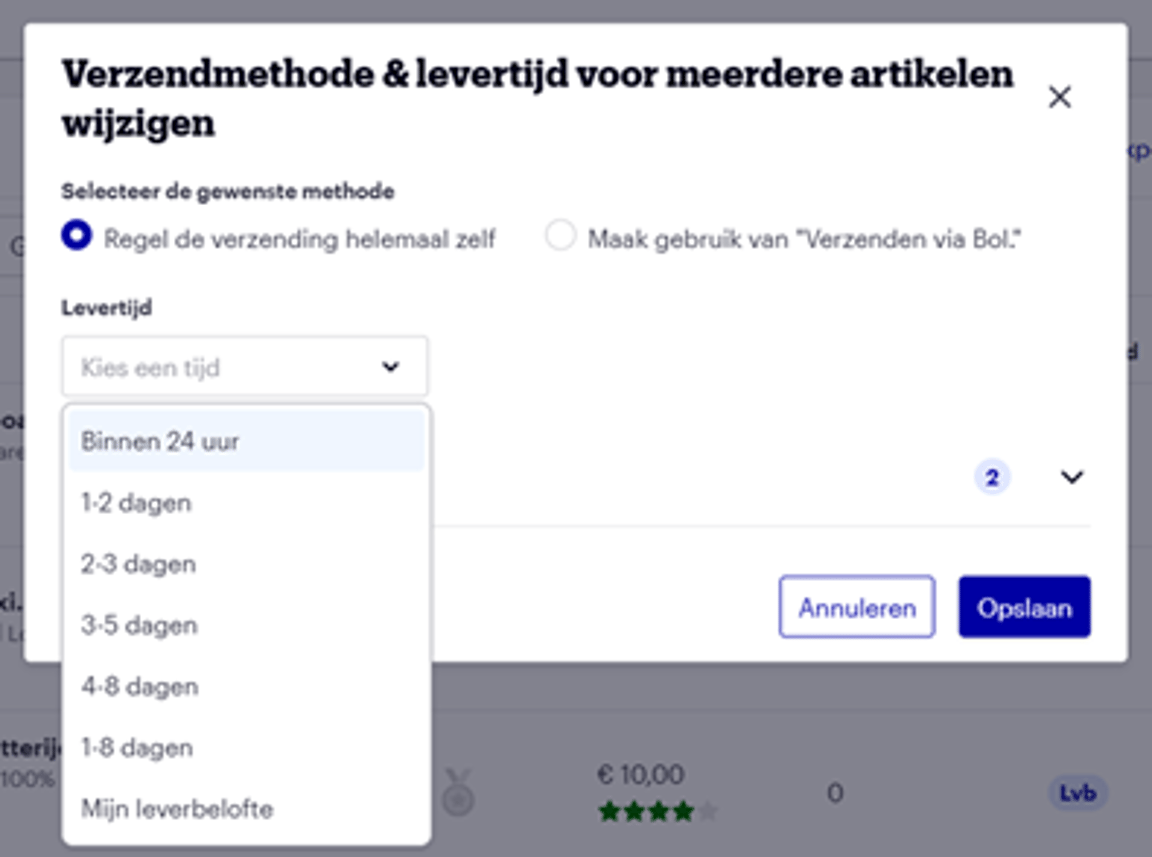
Select the desired delivery time and click ‘Save’
A change in your delivery time is usually processed within 15 minutes and will then be visible for your product range on the website. The only exception to this are changes in the settings of My Delivery Promise. Adjustments to these take an average of 3 hours.
Change delivery time for multiple items using “Add items in bulk”
To change your delivery time in bulk, you can use a bulk tool. You can find the exact steps here.
Change delivery time for multiple items using “Manage offer via Excel”
If you prefer to work with Excel, you can also change your delivery time in bulk via Excel. You can find the exact steps here.