
Create your advertisement
Here you'll find practical tools and tips to create an attractive Branded Shelf that highlights your items and captures shoppers' attention.
Create your advertisement
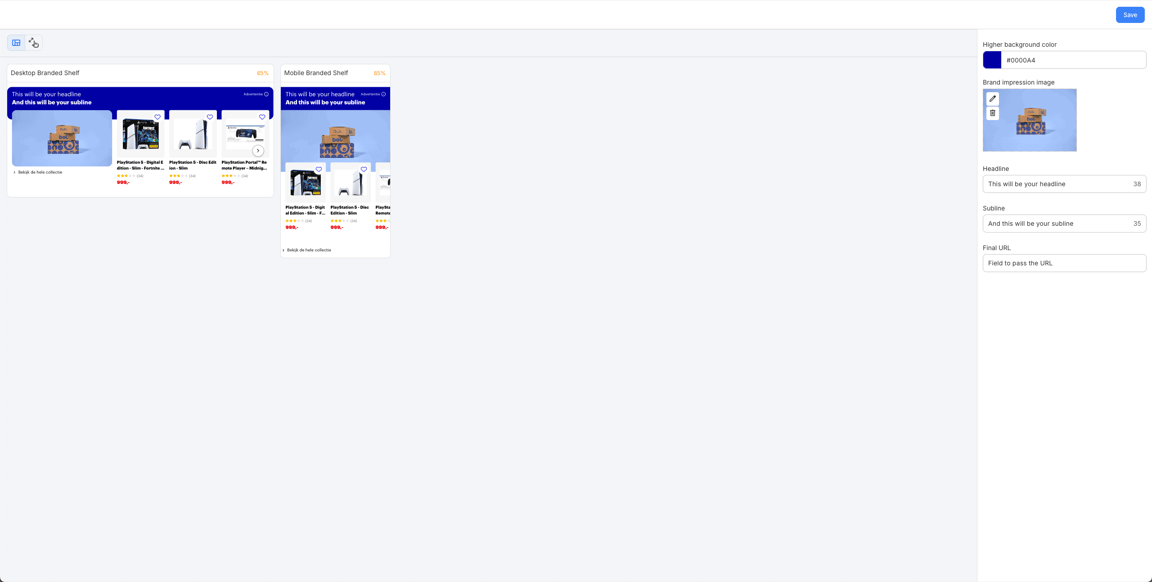
When setting up your Branded Shelves campaign, you will be directed to the CAPE environment to create your advertisement. In CAPE, you can add all the creative elements for your advertisement, which will then be reviewed by our moderation team.
What you add in CAPE:
• Background color
• Image
• Headline
• Subline
• Click-out URL
You can only configure one click-out, so both the button and the image lead to the same page. Once your creative is set, you will return to the campaign creation flow, where you can preview your advertisement.
Acceptable content
Due to rules and guidelines, campaigns or creatives must never be in conflict with good taste and decency, which means:
- Do not discriminate based on - but not limited to - gender, race, religion, sexuality, political orientation, health situation
- Do not target vulnerable people, such as - but not limited to - people with mental instability, limited financial situations
- Do not target children (anyone under 18 years old)
- Do not mislead and/or deceive
- Do not abuse
- Do not be harmful and/or aggressive
Your landing page
Ensure a successful Branded Shelves campaign by choosing the right page for your visitors to land on after clicking:
Which pages work best?
- Brand Page
- Brand activation page
- Retail action page
- Item detail page
No definitive page yet? No worries! Choose a temporary page such as a retail action or branded list. We will update your campaign once your definitive page is live.
Good to know:
- Start the URL with www.bol.com/nl/... or www.bol.com/be/nl/...
- Ensure that the items on the landing page match the content of the shelf.
- The URL must not contain “?” or “#”.
- Avoid search result URLs: they are unstable and provide visitors with an inconsistent experience.
New! Brand Page Creator
Discover a smart, new
way to make your brand visible
via bol. With this
self-service tool, you can
easily create a brand page
that tells your story and
inspires customers.
How does the review process work?
We moderate your URL along with your advertisement daily on working days, and within 1 working day.
Please note: Rejections also count as moderation. If your campaign is rejected and resubmitted (with or without adjustments), the 1 working day review period starts again from that moment. So: follow the rules and prevent delays!