
You cancel the order
On this page, you can read more about cancelling orders that customers have placed with you.
Cancel your order
After a customer places an order with you, it can be cancelled as long as the order has not yet been confirmed.
You can still cancel an incoming order. However, we advise you to avoid this if possible, as it is very disappointing for a customer when an order is cancelled. Therefore, the percentage of cancellations counts towards the service standards, and for that reason, it also impacts your performance score.
Please note!
Once you have confirmed an order, it is no longer possible to cancel it yourself: all parties now assume that the package is on its way. If it turns out after confirming the order that you cannot deliver, please contact Partnerservice.
Still want to cancel an order?
Follow the step-by-step plan below to cancel the order.
Go to your seller account
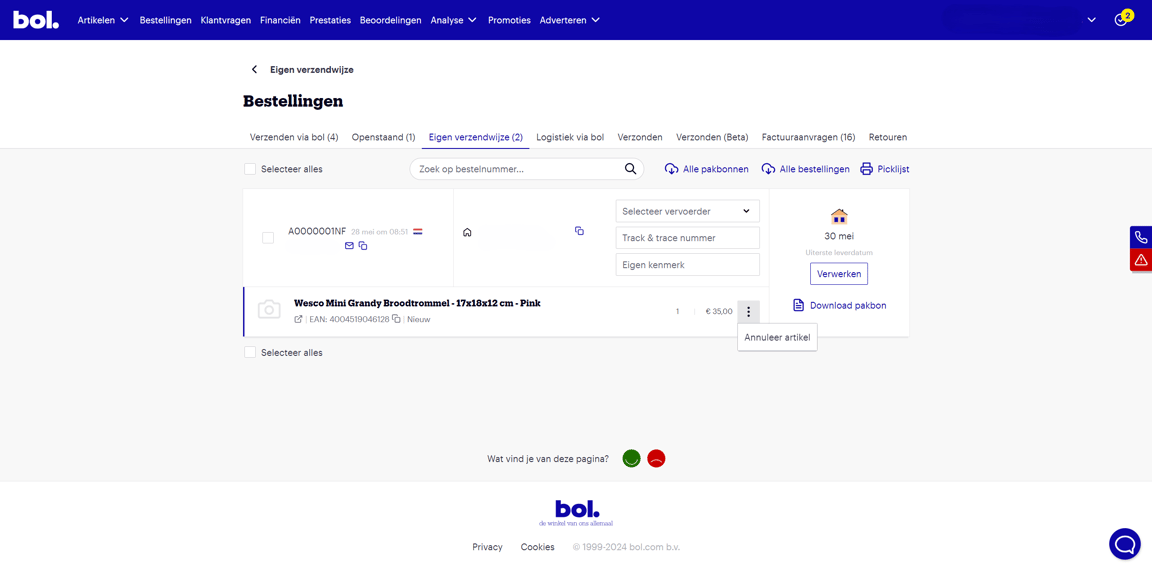
In your seller account, click on 'Orders' at the top and go to 'Own shipping method'.
Cancel order
Find the relevant order, click on the 3 dots, and then on 'Cancel item'.
Select a reason
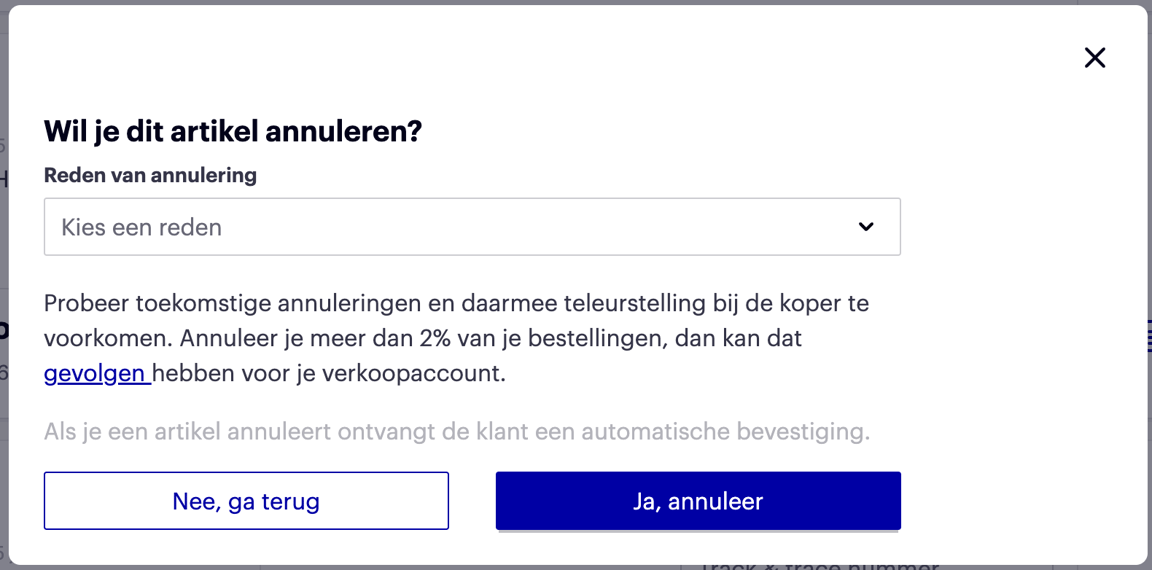
Choose a cancellation reason and click 'Confirm cancellation'. After cancellation, the order will no longer be shown in your seller account.
Please note!
If you have not confirmed the order by the third day after the latest delivery date, the order will expire and be automatically cancelled.
After cancelling the order, it will no longer be visible in your account and you will no longer be paid for it – even if you have already delivered the order. Unfortunately, we cannot help you further with this. Additionally, the stock for the item concerned will be '0' from the moment of cancellation.
For API
For API users, it is important to check the process status to ensure that your order confirmation has been successfully processed. If this is not the case, the order will remain open and eventually be cancelled.
Automation
If you do not want to confirm/cancel your bol orders in your seller account but in your own system, you can use Automate via bol. There are various third parties that can help with automating your orders/shipments, among other things.
If you want to build and manage the integration yourself, you can automatically cancel your orders. Please note that this requires technical knowledge.