
Product families
On this page, you can read more about items in product families.
What is a product family?
Product families, also known as product variants, are variants of the same item that differ in only 1 or 2 features and are otherwise identical. These product families are shown on the item detail page. Examples include a sports shoe in blue and yellow and in 8 different sizes, a water bottle with 3 different capacities, or a book in paperback and hardcover. Examples of items that cannot be grouped into a variant are a sports shirt and shorts from the same clothing line, different parts of a book series, and different serial numbers of a laptop.
This video cannot be played. To watch YouTube videos, you must consent to the use of your click and search behaviour for personalised advertising outside bol.
Variants in the product catalog
Items within a product family each exist as a separate item in the catalog, with their own EAN. A product family only indicates a relationship between these variants, which are displayed in different ways (depending on the store) on the item detail page, in the search results, and on the list pages.
Prices and providers within a product variant
Product families do not impact prices. Within one product family, there can also be different providers, and they can apply different prices.
How are product families displayed on our website?
For product families, we show variants (choice options) based on distinguishing features. This prevents customers from seeing combinations that are not available. Below, we explain how this works:
If there is 1 distinguishing feature
- Each family member has a unique value for that feature.
- All family members are shown as choice variants.
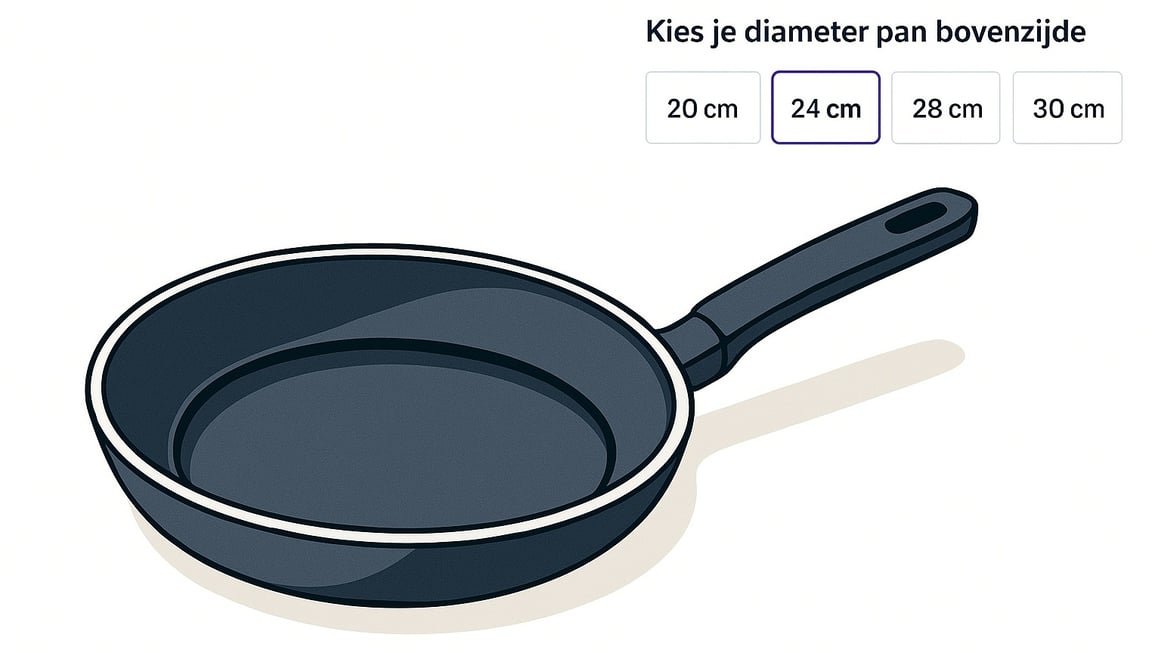
Example: For a family of frying pans with the feature Diameter: Each pan has a different diameter, so all pans are visible as variants.
If there are 2 distinguishing features
- A family member is only shown as a choice variant if it overlaps with another family member on one of the features.
- If an item has no overlap (unique color AND unique size)? Then it will not be shown as a variant with other family members.
Example: For a family of T-shirts with features Color and Size:
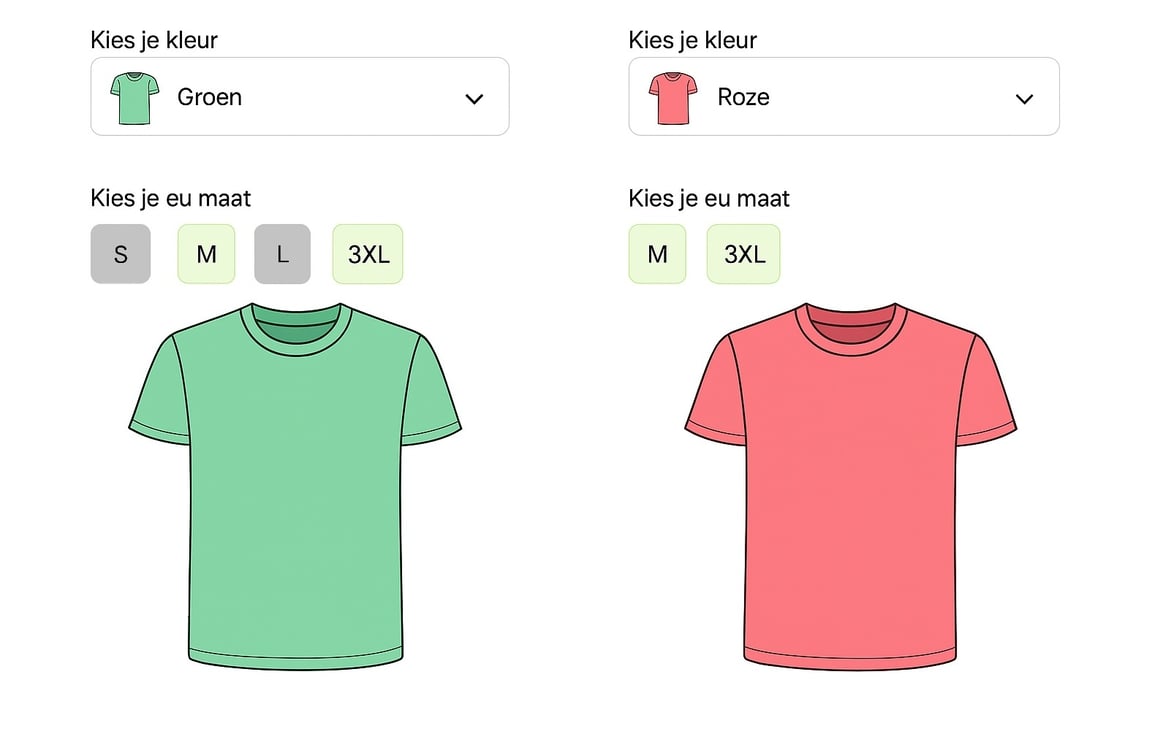
- A T-shirt in color Green and size M is shown with the sizes of the green T-shirts and with T-shirts in other colors that also exist in size M.
The color Pink is only visible as a color choice for sizes M and 3XL. If size S had been chosen for the green T-shirt, then Pink would not be visible as a color variant.
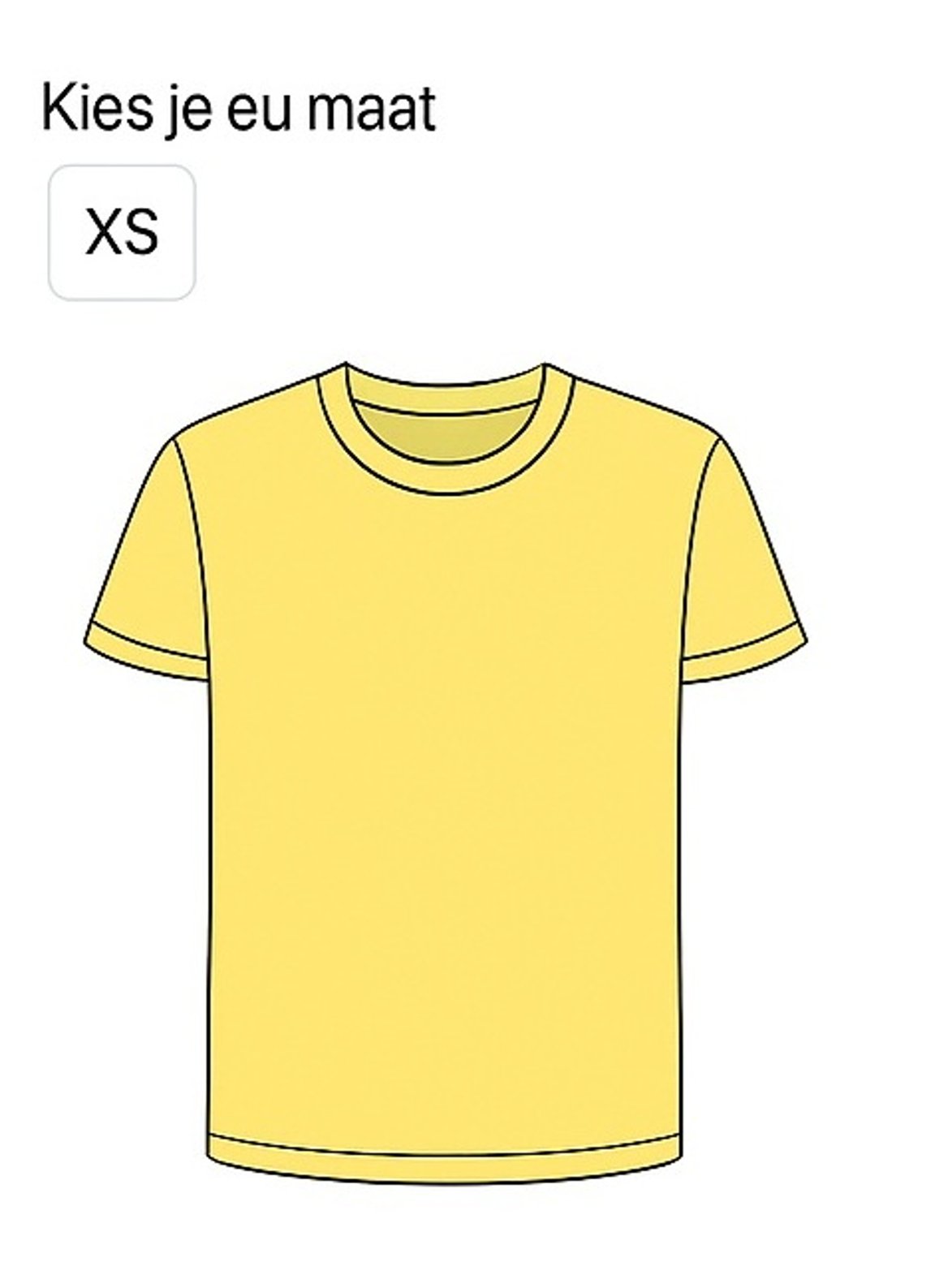
- A T-shirt in a unique color AND size (e.g., Yellow and XS, while there are no other sizes of the yellow T-shirts) will not be shown as a variant with other family members.
In such a case, no other variants are visible with the unique variant.
Important to know
- Not every color is available in every size. Therefore, variants may disappear when you switch between colors or sizes.
- You will only see variants with which the family member overlaps. This can vary per family member.
- Uniform color names are crucial:
- Family members with the same color must have exactly the same color name.
- Even small differences such as a space, capital letter, or extra character will cause colors to be seen as different.
- Example: Green and green are considered separate colors. Also, Light green is not the same as Green.
In short:
- 1 feature: all family members visible.
- 2 features: only family members with overlap visible.
- Exact color name (including capital letters and spaces) is essential.
A distinguishing feature is set for the entire product group.
Are there no distinguishing features for the product family? Then you will receive the message: 'Unfortunately. We cannot yet link the items in this product group'.
In this case, please contact Partnerservice, so they can check if the distinguishing features can be created for you.
Limitation of distinguishing features
Only 2 distinguishing features, or attributes, can be set per category.
Different variants on the same EAN
It is not possible to add different variants to the same EAN. Items within a product family each exist as a separate item in the catalog, with their own EAN. If you want to sell multiple colors of the same item, you must offer them under separate EANs.
Note: incorrect use can lead to policy point deduction
Misleading item and content information is one of the policy violation categories we actively monitor. For example, it is not allowed to deliberately adjust attributes such as the number of items in a package or color in a way that disadvantages other partners or customers.
Product families and Roll-Ups
There is a difference between Roll-ups and Families, but these are sometimes confused.
Families
- Can be set via the seller account
- The feature/attribute on which distinction is made applies to all items in the category
- Visible on the item page
Roll-up
- Can only be set by bol;
- The feature/attribute on which distinction is made applies to all items in a category
- Visible on the search page